Combining profiles and your own accounts

If your account has two participant profiles for the same person, you can compare their details and combine them. This brings that person's registrations and history together.
If your profile is managed in someone else's account, ask your club to transfer that profile. Don't request their whole account to recover your profile. Account combination is only for accounts that both belong to you.
Accounts and profiles are different
Your account holds your sign-in addresses, orders and the participant profiles you manage. A participant profile describes someone you register, such as yourself or your child. One account can manage several people.
| What you need | What to do |
|---|---|
| Bring together duplicate profiles for the same person in your account | Compare and combine the profiles |
| Move a profile from someone else's account to yours | Ask your club for a profile transfer |
| Bring together two accounts that both belong to you | Combine your accounts |
Only combine accounts that belong to you. Don't combine a parent's and child's accounts to share one profile. A transfer moves a profile to another account; it doesn't combine the accounts or move their orders and payments.
The screenshots below use fictional accounts for Alex Morgan, with [email protected] and [email protected] as sign-in addresses. In the profile steps, both profiles are already in Alex's account.
Combine profiles for the same person
Start here when both profiles are already in your account. If one is in another account that also belongs to you, bring your own accounts together first. If someone else owns that account, ask your club to transfer your profile instead.
Curling IO suggests duplicate pairs you own when their first names, last names and birthdates match. Both profiles need a birthdate filled in. A similar name on its own isn't enough to combine them.
1. Open the comparison
When a duplicate suggestion appears, select Compare profiles. You can also find the pair under Possible duplicates in Account > Participants.
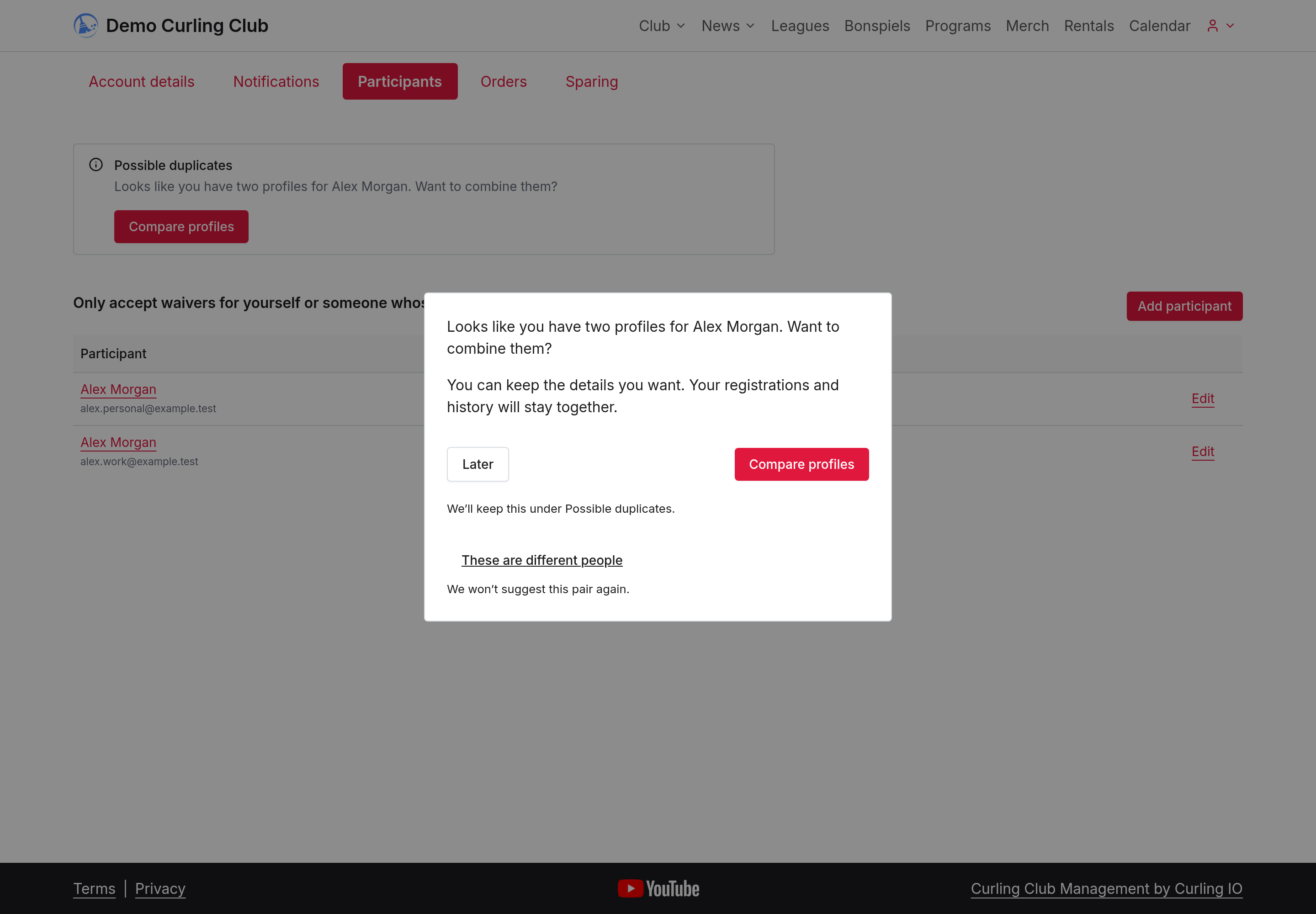
Later keeps the pair under Possible duplicates. These are different people stops suggestions for that pair, including after later edits. Use it only when the profiles describe different people.
2. Choose the details to keep
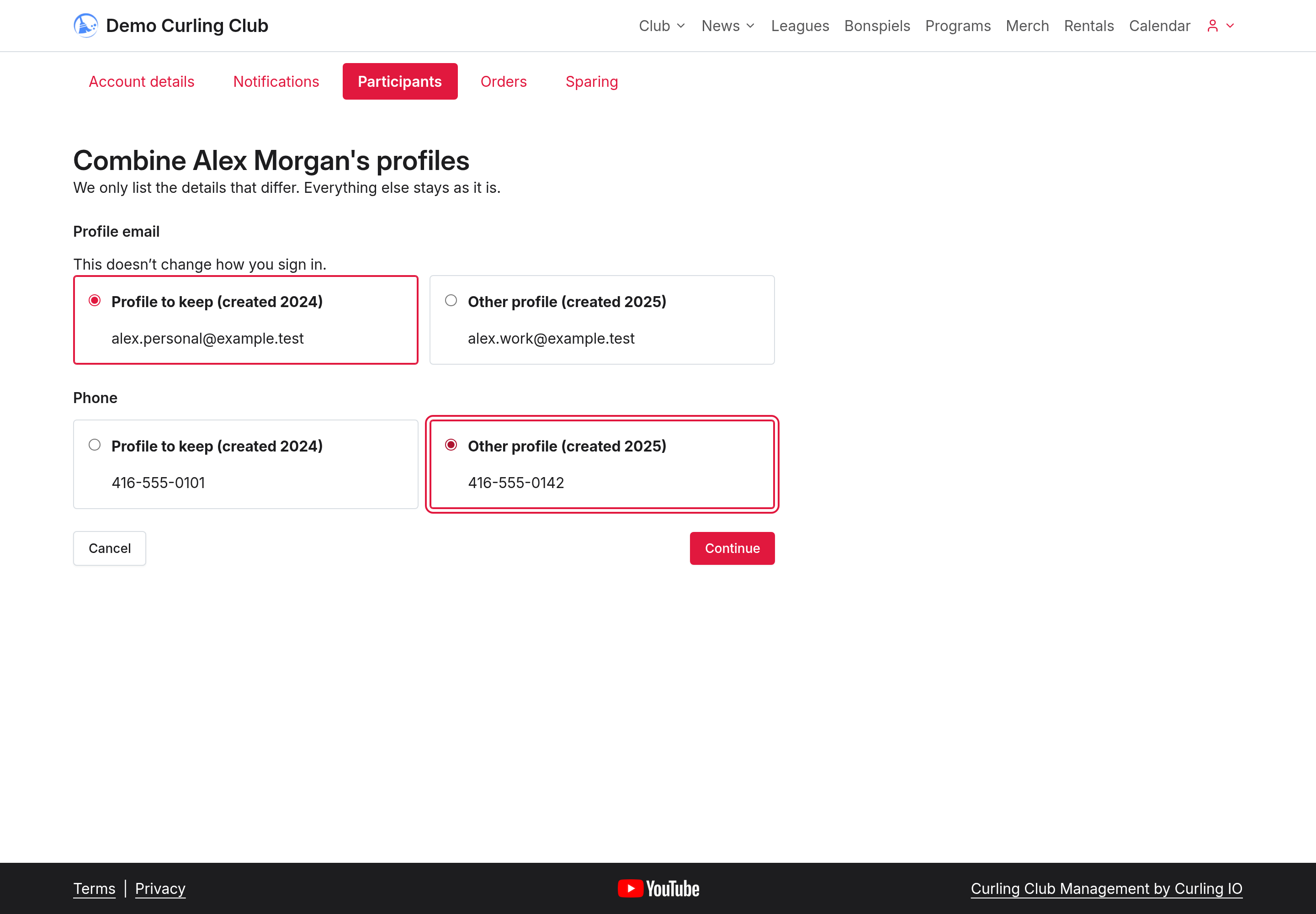
The comparison shows only details that differ. The profile marked Profile to keep stays, and the Other profile is removed. For each detail, choose the value to save to the profile that stays. Profile email is contact information and doesn't change how you sign in.
3. Review and confirm
Select Continue. The confirmation explains which profile will be removed and, where applicable, which registrations, team places and waivers will move. You can select Change choices to go back.
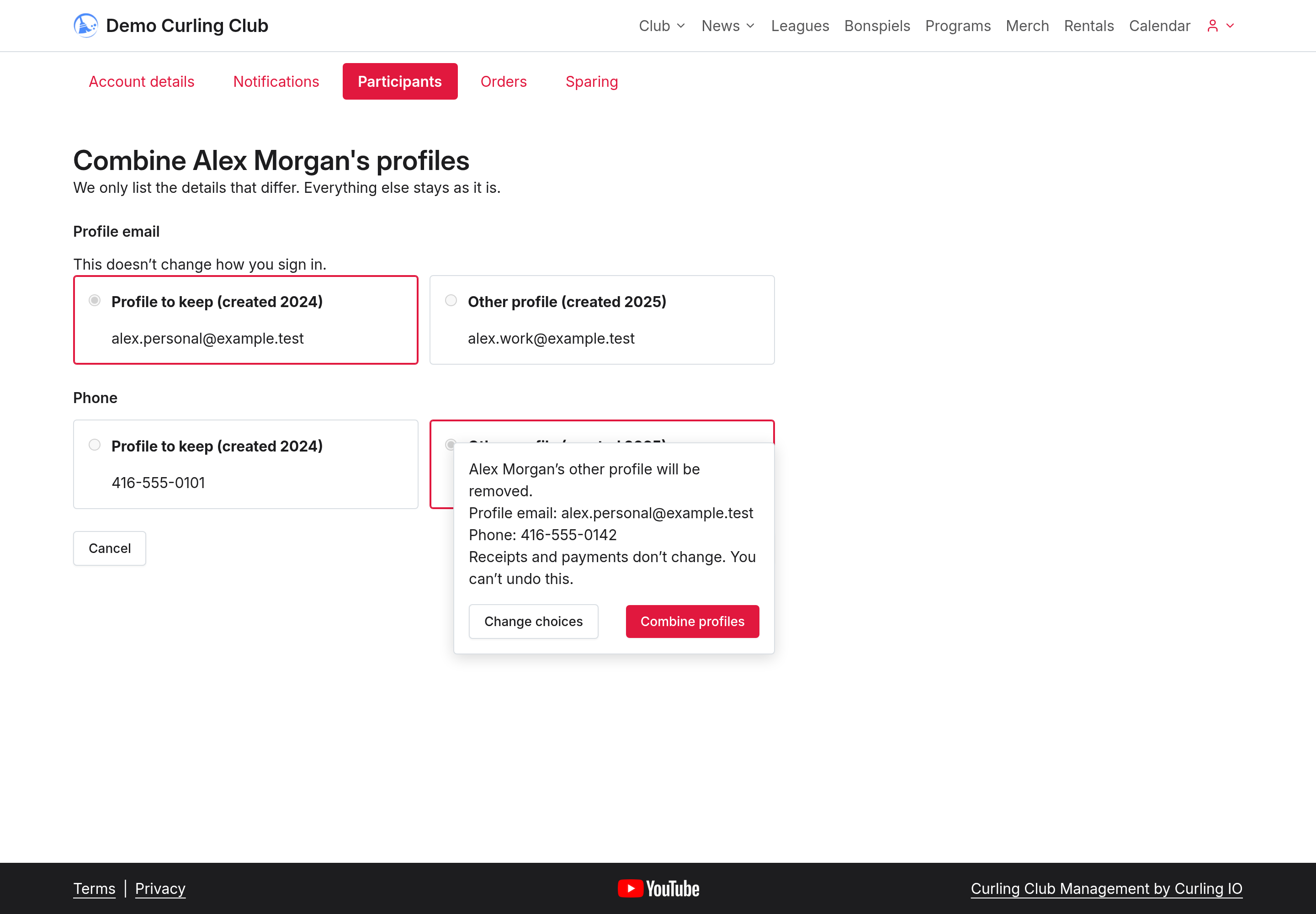
Select Combine profiles when you're ready. The other profile is removed, and your chosen details are saved to the retained profile. You can't undo this combination.
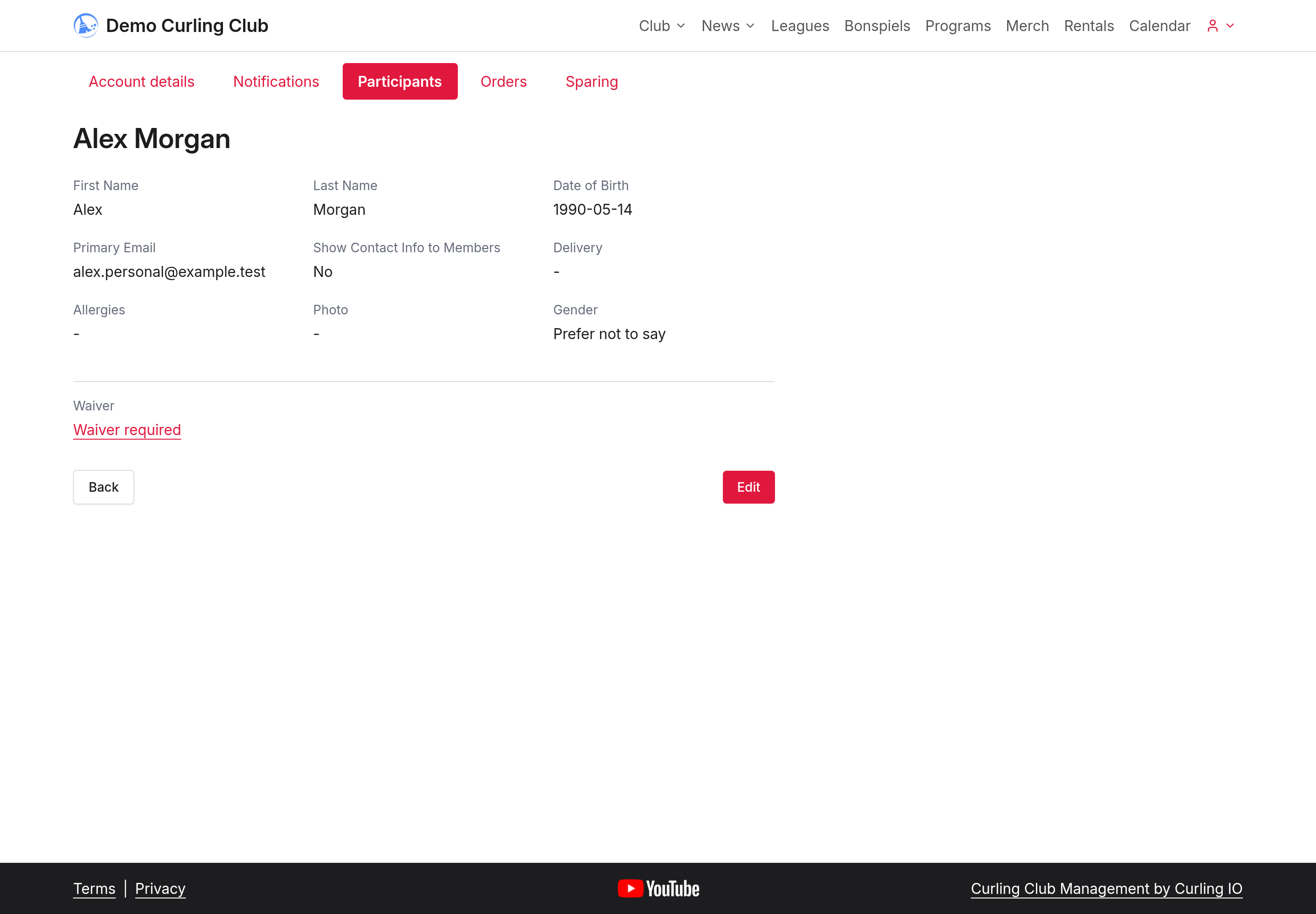
Receipts and payments don't change. Combining profiles doesn't refund an earlier duplicate fee or automatically revise a missed discount. Ask your club to review any past overpayment or missed discount.
Avoid creating another duplicate
When you add a participant, Curling IO checks for an existing profile in your account. If it finds a match, it offers Use this profile so you can check and update the existing details instead of creating another record.
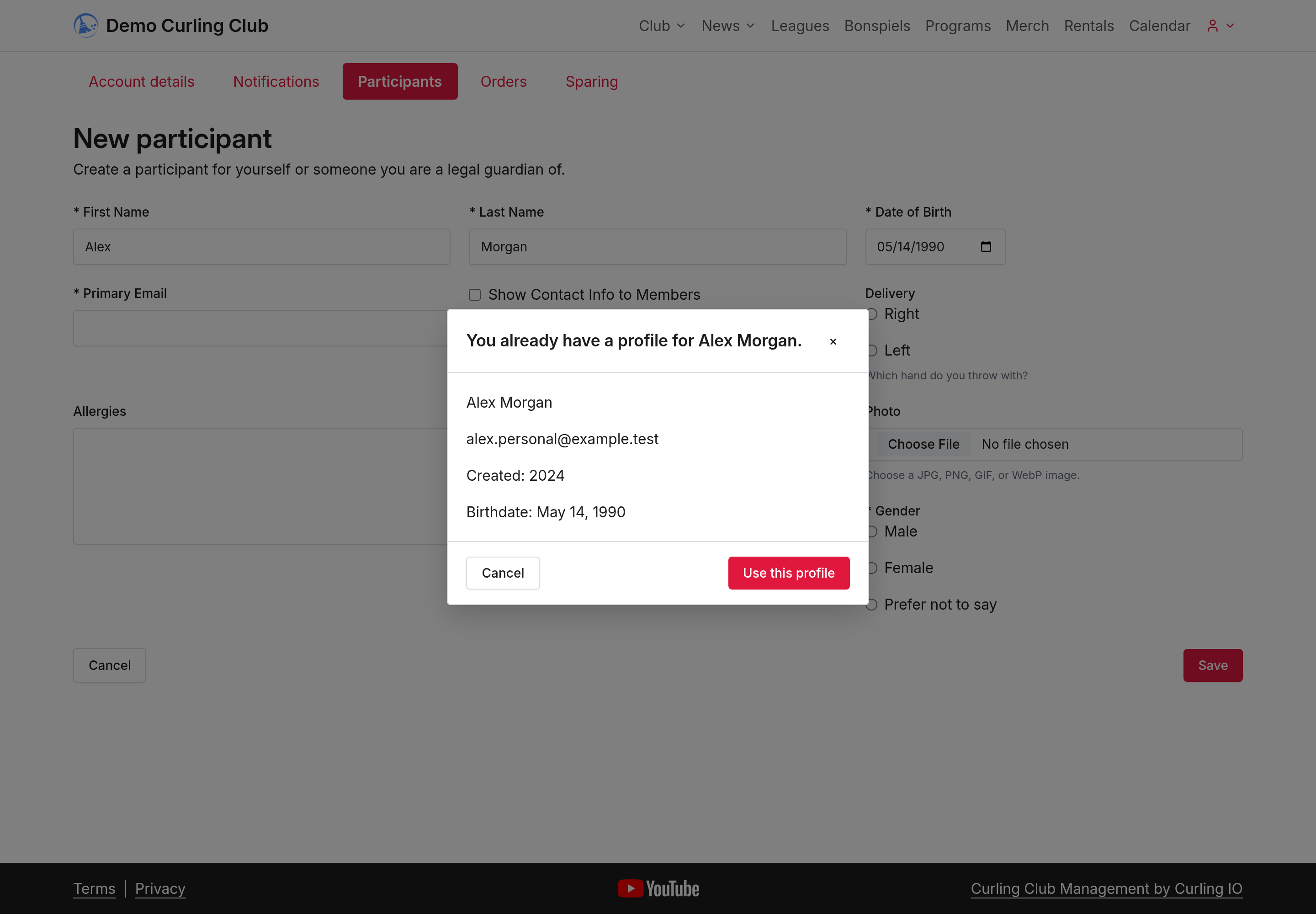
If a name matches but a birthdate is missing, This is a different person lets you continue adding someone else. That option doesn't appear for an exact name-and-birthdate match.
Bring your accounts together
1. Start from the account you want to keep
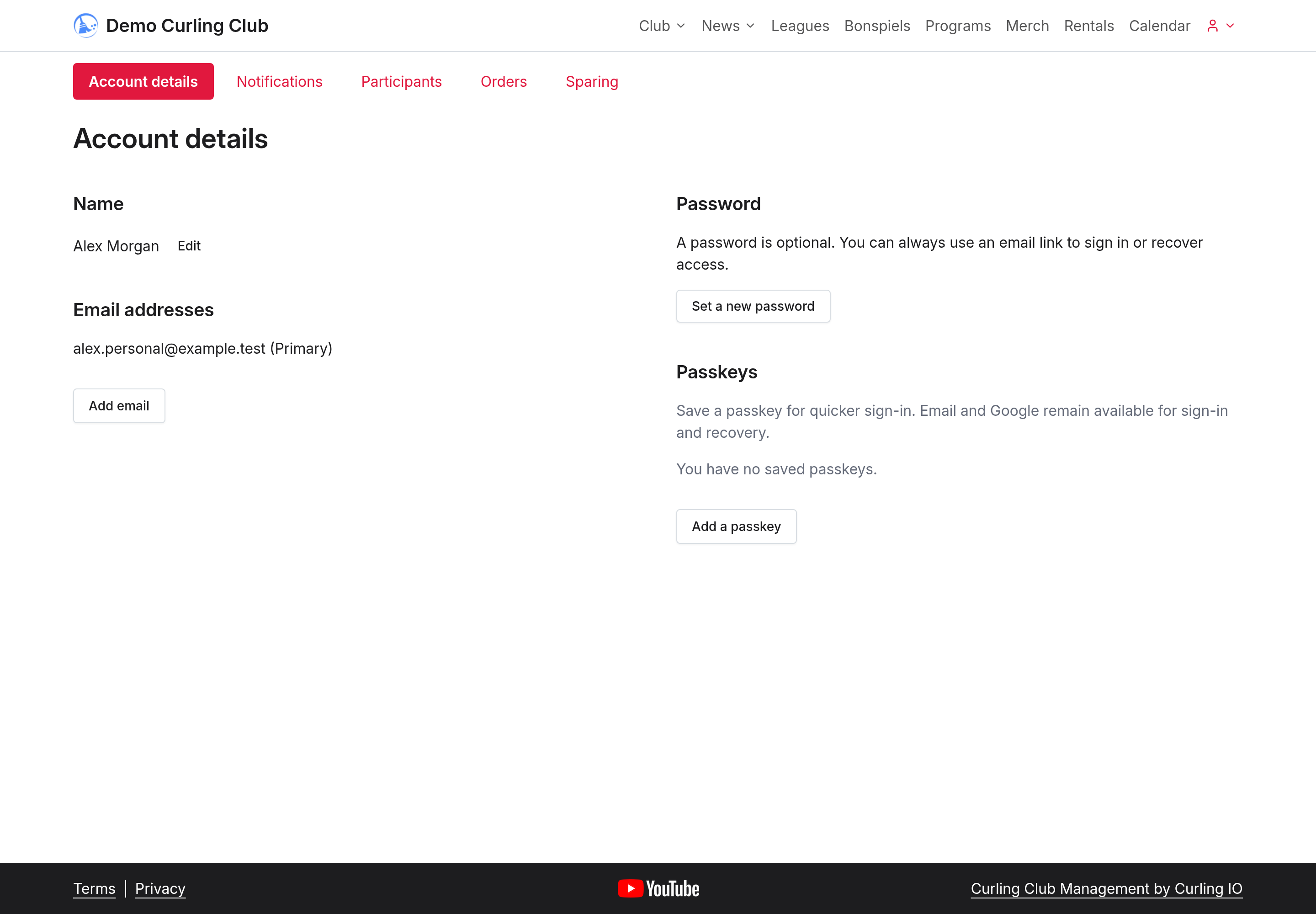
Sign in to that account and open Account details. Under Email addresses, select Add email.
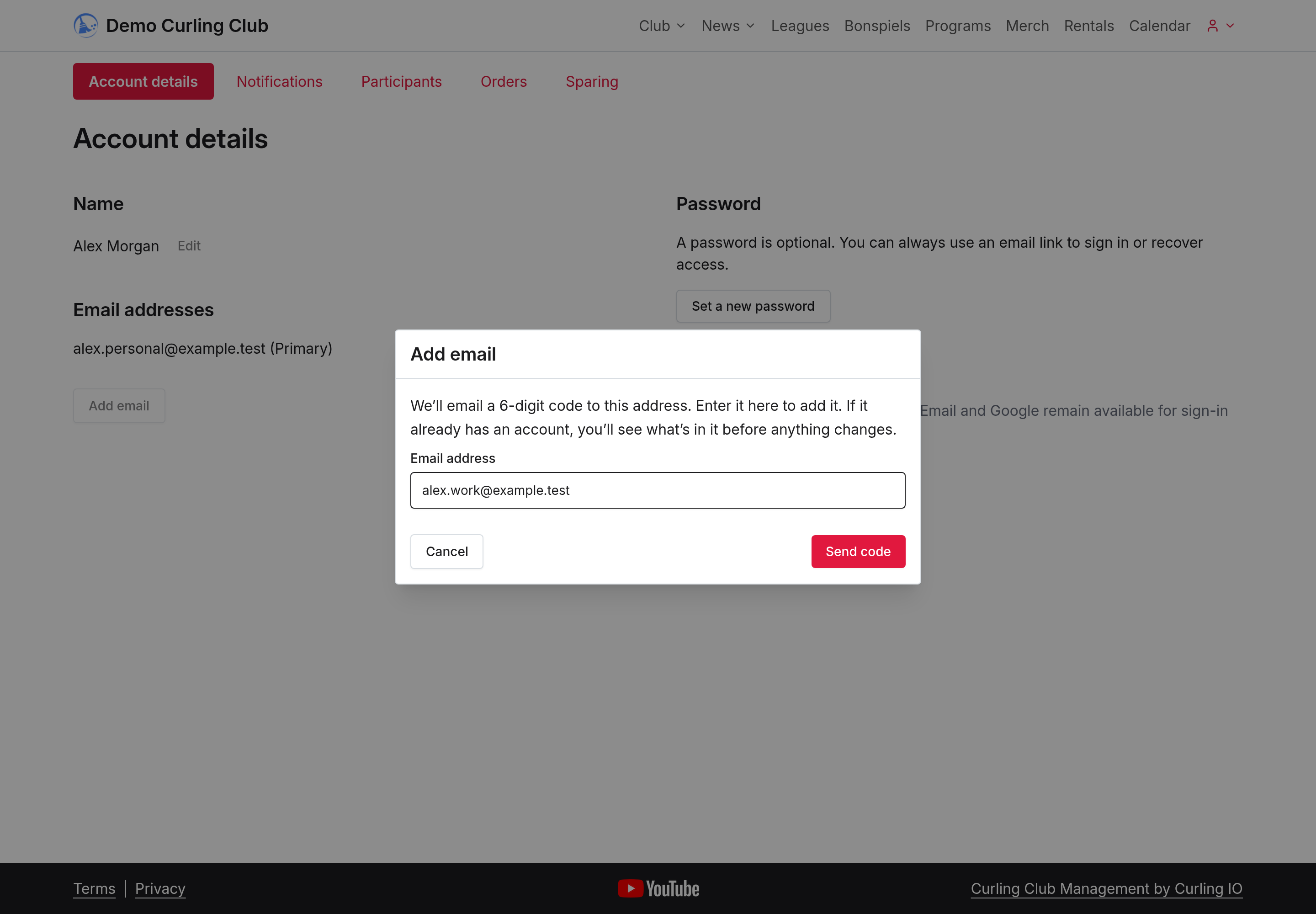
Enter the address you use for your other account, then select Send code. In this example, Alex adds [email protected].
2. Verify your other email address
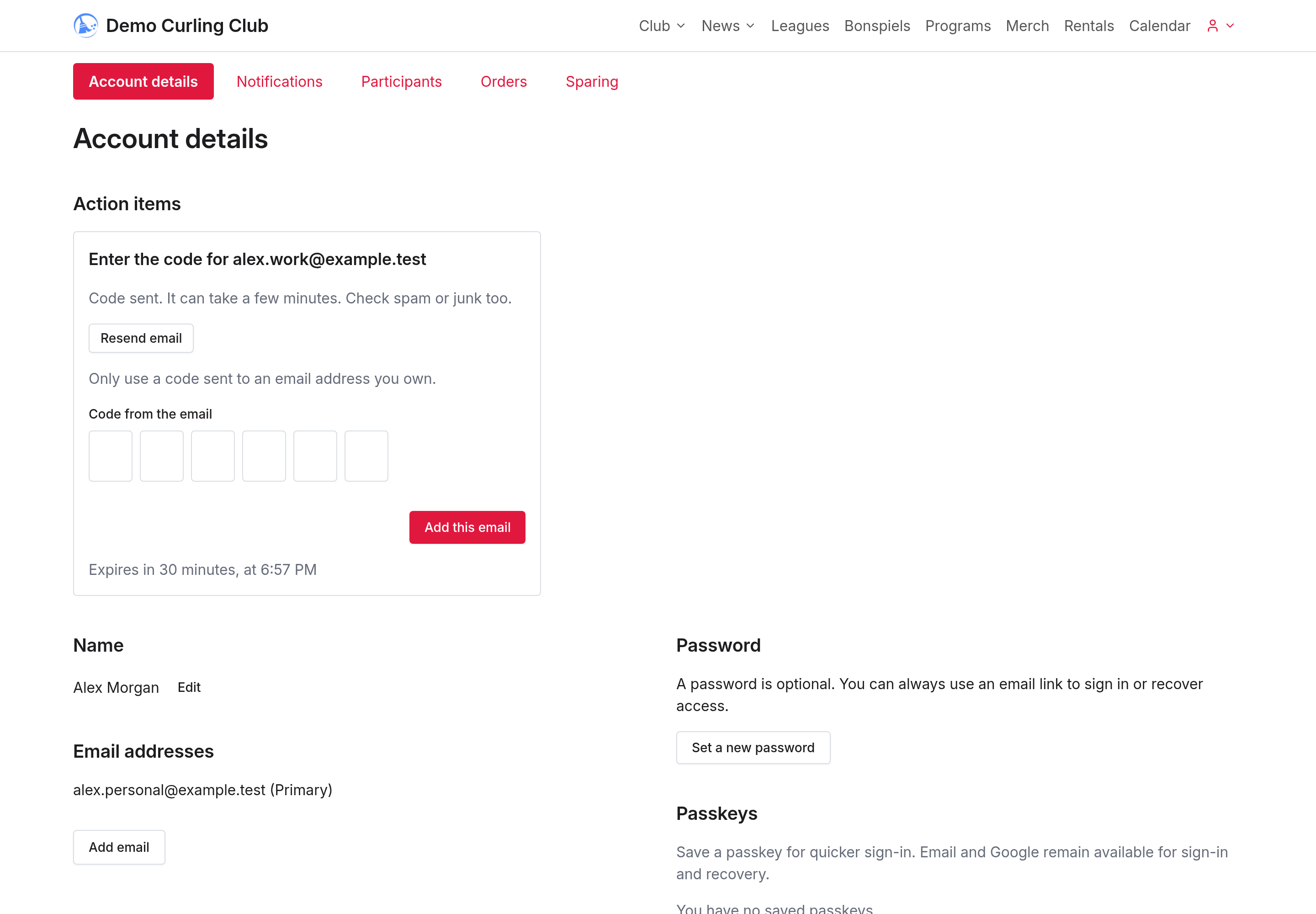
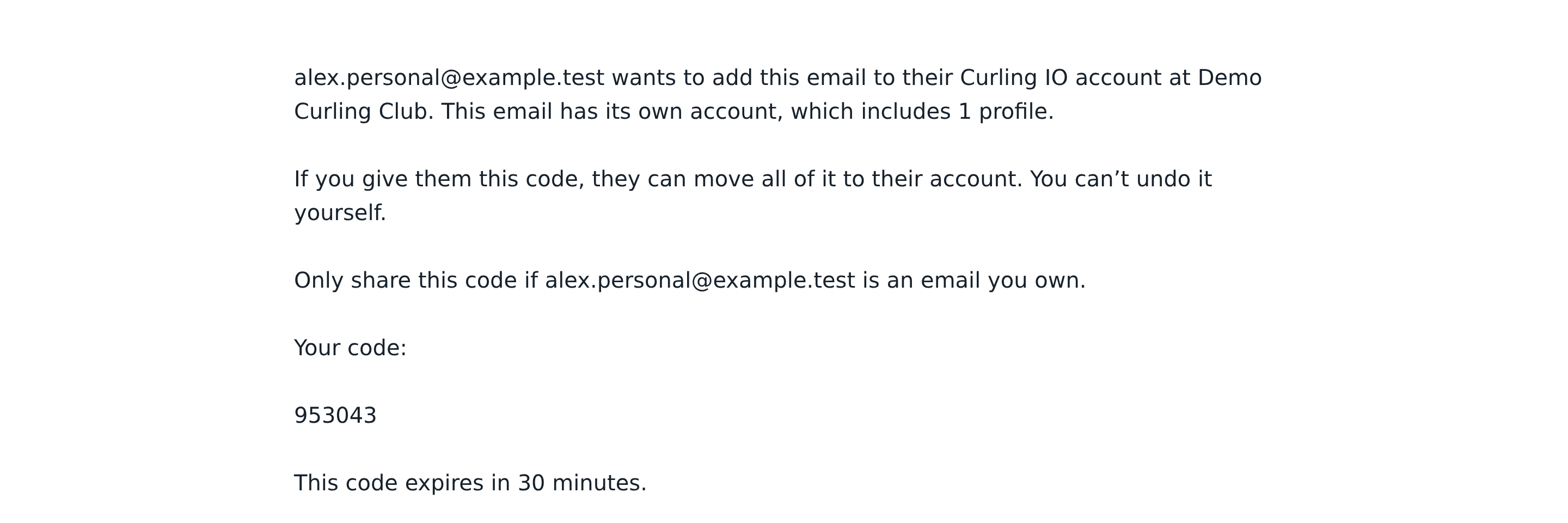
A card appears under Action items. Open the email sent to your other address and enter its six-digit code on that card. The code works for 30 minutes. If the email is missing, check spam or junk; the card also offers Resend email.
The email names the address that asked for the code. Check that it's your own other address before entering the code. Never ask someone else for their code. If you didn't make the request, the email's This wasn't me link lets you stop it.
3. Review the account before combining
If the address has its own account, entering the code opens a preview. Nothing has moved yet. Check the profiles and the account's contents before continuing. This combines the whole account; you can't choose individual profiles to move here.
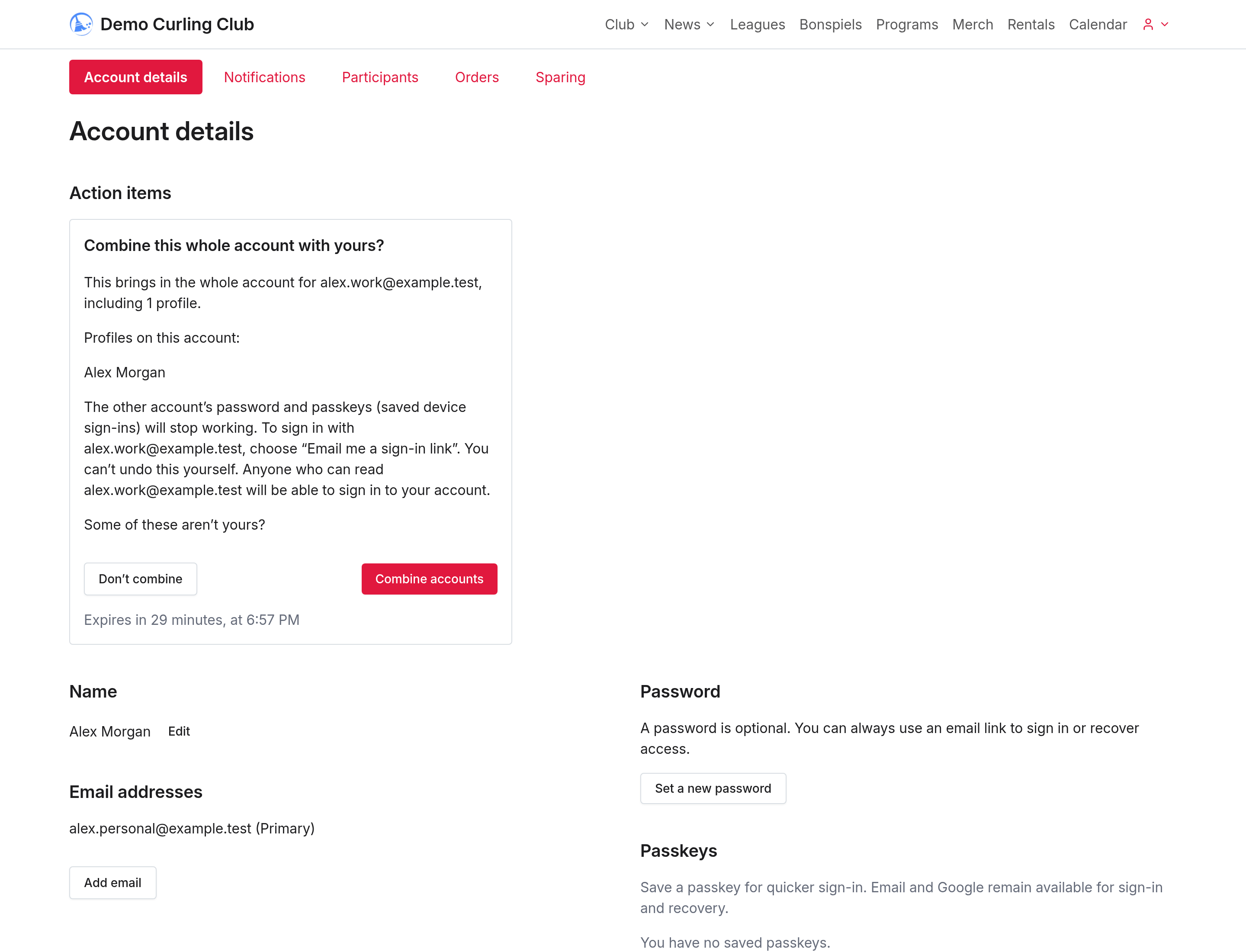
Check any unfinished carts before combining accounts. If both accounts have a cart at the same club, the kept account's cart takes precedence and the other pending cart isn't carried over. If only the other account has a cart, it can move across. Paid orders and payments aren't lost.
Anyone who can read either email address can sign in to the combined account. Don't add a shared inbox.
Select Combine accounts to confirm. If some profiles aren't yours, select Don't combine and ask your club about transferring the profile you need instead.
Some requests need Curling IO review. If the button says Send for review, nothing moves while the request waits. You can withdraw it if you change your mind.
If the address has no separate account, the code adds it as a verified sign-in address. For an existing account with no records to bring across, the preview asks whether to add the address and offers Add this email.
4. Check your combined account
Both verified email addresses now belong to the account you kept. Adding an address doesn't automatically make it primary. Use Make primary if you want to change your primary email.
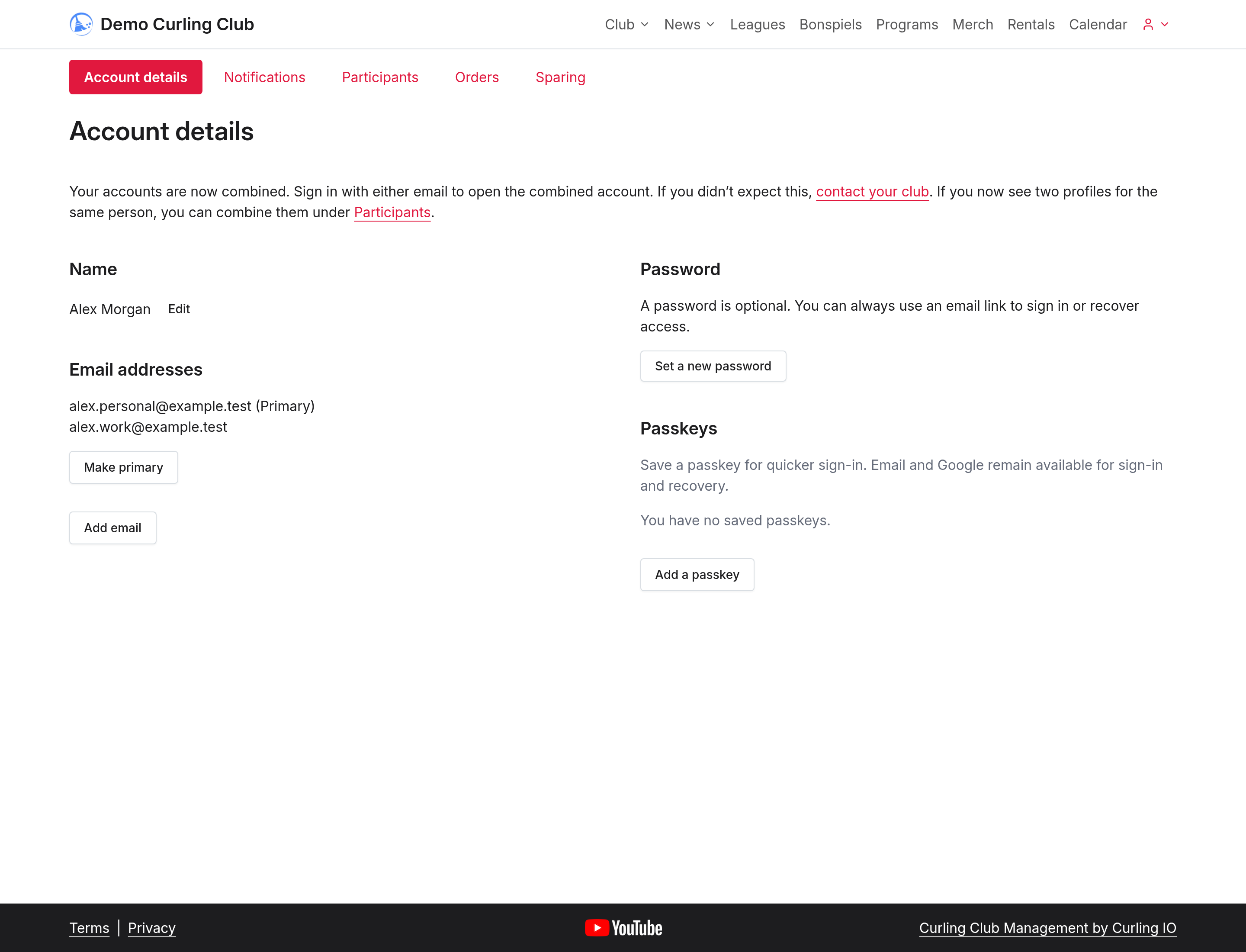
The other account's records move to the account you kept. Its password, passkeys and calendar subscriptions stop working; those from the kept account continue to work. You can request an email sign-in link using either verified address. You can't undo the combination yourself.
If this leaves duplicate profiles for the same person, return to the profile comparison steps.
For help with expired codes, missing profiles or changing your primary email, see your account instructions, or contact your club.