Custom Registration Forms Are Coming to Curling IO

This post is part of our Curling IO v3 sneak peek series, where we explore some of the new features available in the upcoming version.
Registration forms in Curling IO have always collected the basics: team name, lineup, skill level, contact info. But every club runs things a little differently. Some need emergency contacts. Others want dietary restrictions for banquet planning. A bonspiel might ask for team contact information while a league doesn't.
In v2, admins can already choose which questions appear and create custom ones. What's new in v3 is control over the layout: where each question sits, how wide it is, and how the form is organized into sections.
How it works
The form builder is a drag-and-drop tool inside the product admin. You start with a panel of available questions on the left and an empty canvas on the right. Drag a question onto the canvas and it becomes part of the registration form. Drag it back to remove it. Reorder by dragging within the canvas.
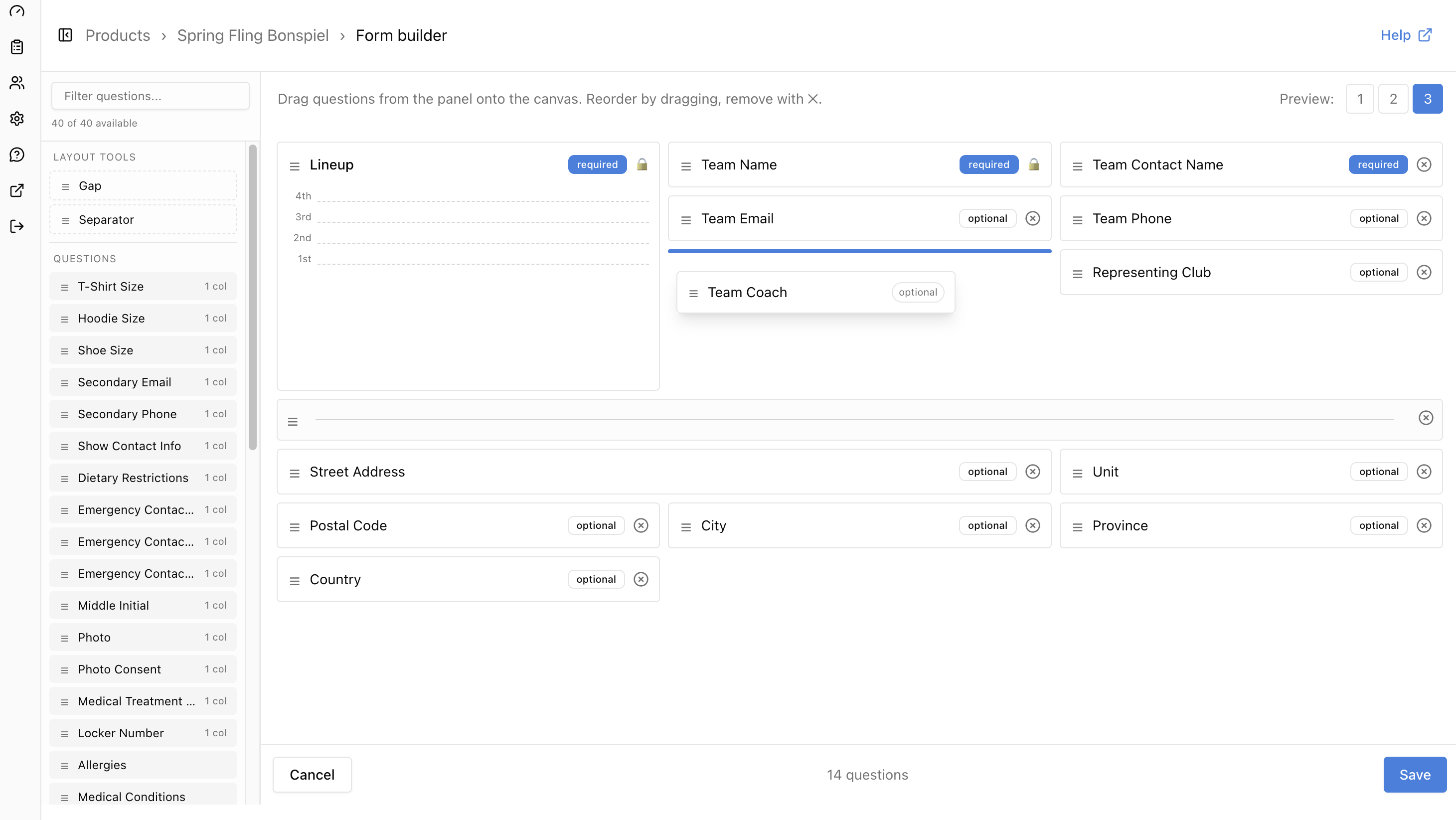
Questions have a defined column width (1, 2, or 3 columns) that controls how they sit in the grid. A one-column question like "Shoe Size" takes up a third of the row. A two-column question like "Street Address" spans two thirds. A three-column question like "Notes" takes the full width. The layout uses a masonry grid, so questions pack together without leaving gaps.
Separators let you break the form into visual sections. Questions above a separator stay above it. Below it, a new section starts fresh.
Each question can be toggled between required and optional. Required questions show an asterisk on the public form and are enforced on submission.
What curlers see
The public registration form renders the layout the admin designed. Questions float their labels above the input when you start typing, keeping the form compact. Hints appear as info icons that expand on hover.
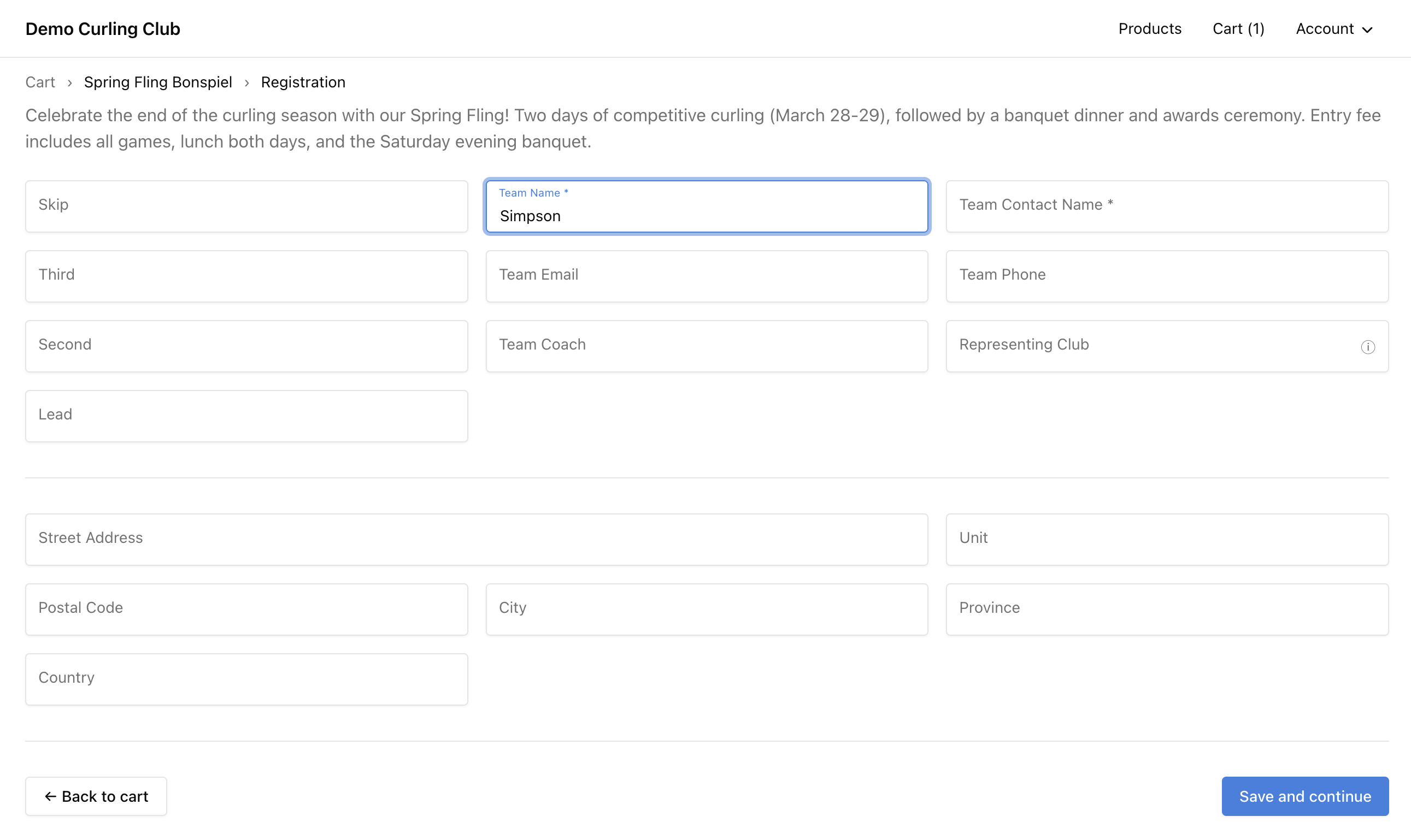
The form is responsive. On a phone, everything stacks into a single column. On a tablet, two columns. On a desktop, the full three-column layout shows.
Available questions
The form builder ships with a catalog of predefined questions covering contact info, emergency contacts, medical details, sport-specific questions, apparel sizes, dietary restrictions, and more. Clubs can also create their own custom questions to collect whatever else they need. The list is searchable, and any combination of predefined and custom questions can be used on any product.
Some questions are tied to event settings. If an admin configures a team name label in the event settings, the team name question appears on the form builder canvas automatically and is locked in place. Same for the lineup question when a lineup option is selected. Turn those settings off and the locked questions disappear from the builder.
Gaps and separators are layout tools, not data questions. Add a gap to leave an empty cell in the grid. Add a separator to visually divide the form into sections.
The form builder is part of Curling IO v3. We'll share more v3 features as we get closer to launch.