Help free agents find a team
This post is part of our Curling IO v3 sneak peek series, where we explore some of the new features available in the upcoming version.
Use Free Agents to find curlers who want to join a team in your league or bonspiel. It adds an opt-in to registration and gives your managers a list of people to contact.
Registration fees still apply
Free agents register for the event through your usual checkout. The event's normal prices, discounts and payment options apply. Choosing List me as a free agent does not waive the registration fee or postpone payment until they find a team.
Let curlers opt in
- Go to Products and open your league or bonspiel.
- Select Info.
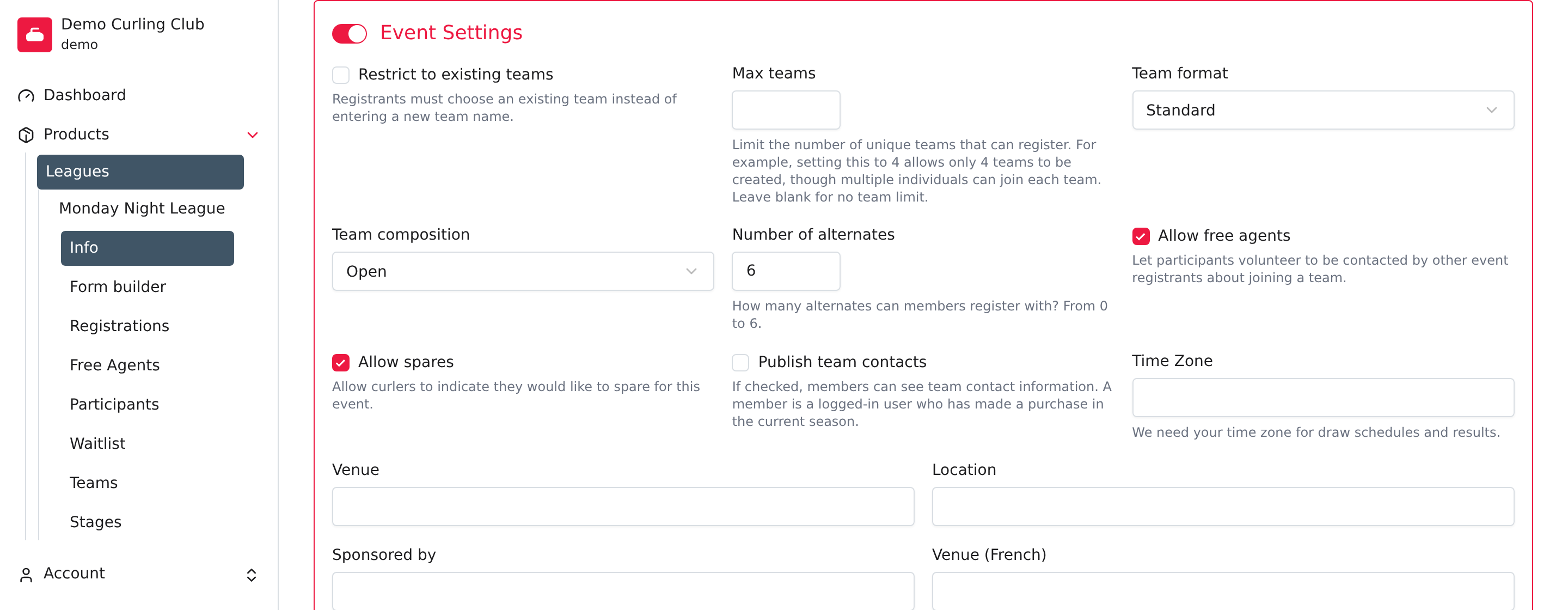
- Check Allow free agents, then select Save.
The event must require a participant profile. If the option is missing, check the event's setup under Info.
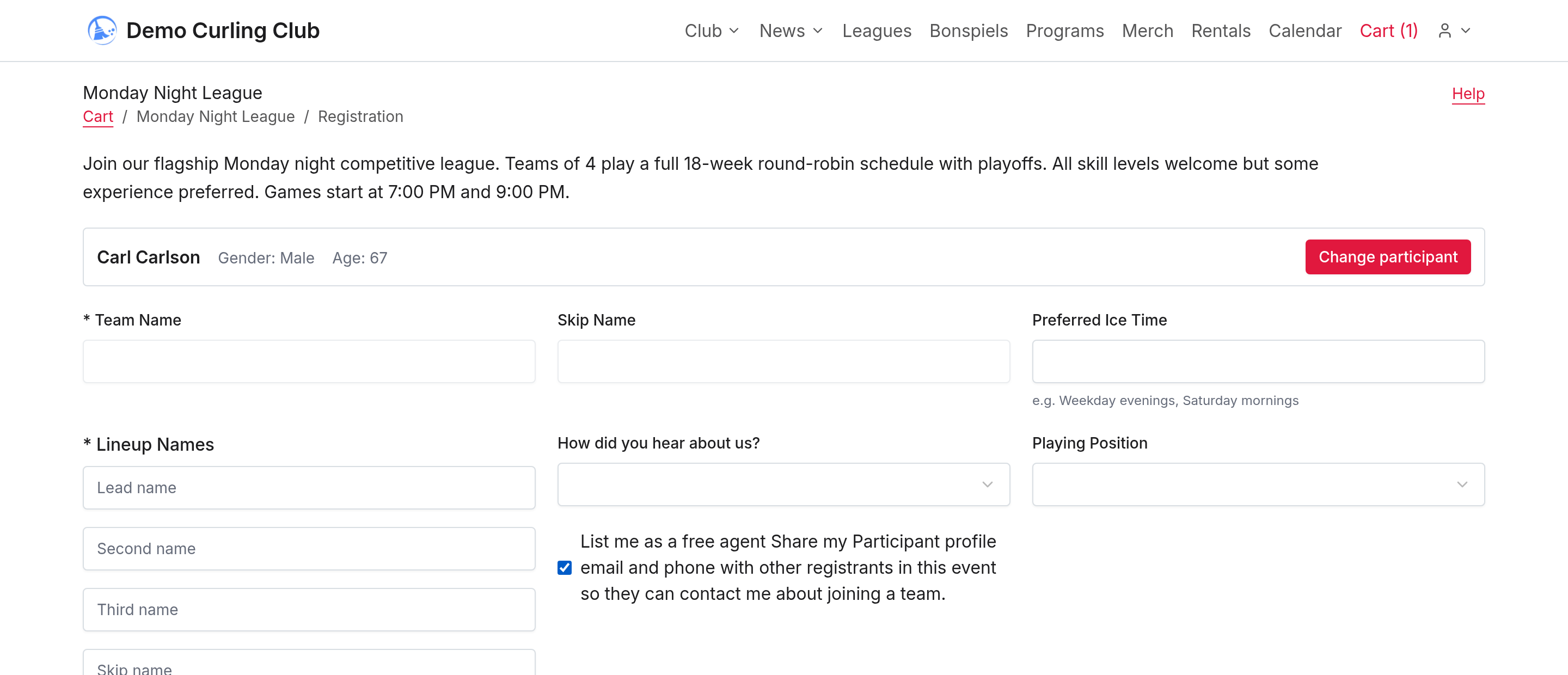
Curlers can check List me as a free agent during registration. That choice shares the participant profile's available email and phone with other eligible registrants in the same event. The profile needs an email or phone number so someone can contact them.
The contact details come from the participant profile, which can use a different email from the account used to sign in. Encourage curlers to check those details before they register.
During checkout, opting in clears the team name and skip name answers. Other questions still depend on your registration form. Curlers must finish submitting their registration before appearing in the list. An unfinished cart doesn't put someone on the list.
Contact them and build the lineup
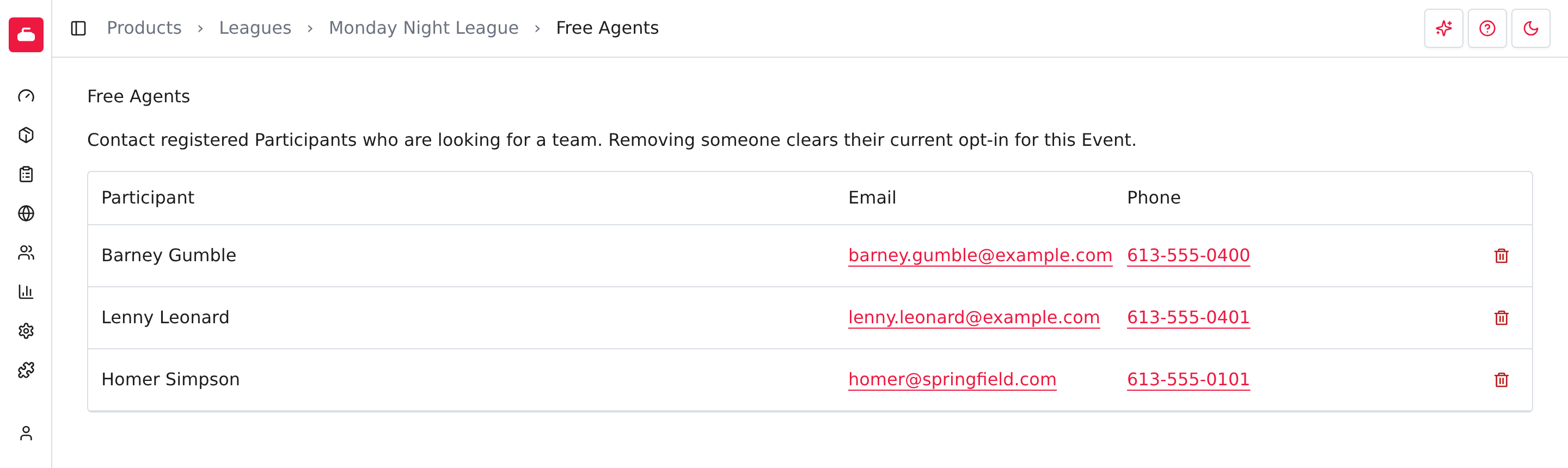
Open Free Agents for the event to review each participant's name and available email and phone.
- Contact the curler to discuss the team and playing position.
- Open Teams for the same event.
- Create a team or edit the team they will join.
- Select the participant in the team's lineup, then select Save.
Once assigned to a team in that event, they disappear from its free agent list automatically. You don't need to remove them manually. Their registration and payments stay unchanged. If they leave the team's lineup while their opt-in is still active, they can appear in the list again. Curling IO doesn't assign free agents to teams automatically.
Who can see the contact details?
On the club's public site, the event's Free Agents tab is available to signed-in accounts that own a submitted or paid registration for that event. The registration must not be cancelled. The public directory is unavailable after the event ends or when the event or free agents option is disabled.
Anonymous visitors and accounts without an eligible registration can't view the directory. Club managers can review it from the admin event page.
Remove someone from the list
If a curler no longer wants to be contacted, select Remove from Free Agents beside their name, then Confirm. This clears their free agent opt-in for this event and removes them from the contact list. It does not cancel their event registration, remove them from a team, change their payments or issue a refund. Their participant profile also remains.
When someone finds a team, save the team lineup instead. To cancel their registration or return a payment, use the separate order and refund actions.