The learn to curl funnel
To grow your club, you need to know what happens to people after learn to curl: how many go on to sign up for a league or membership, and how many sign up again the season after. Curling IO's new Learn to curl funnel report shows you both, season by season. It also lists this season's newcomers who haven't joined yet, so you can send them a follow-up.
In episode 6 of its The Future of Canadian Curling podcast, Curling Canada encouraged clubs to "map the customer journey" and improve one small part of the club experience at a time. A week earlier, in episode 5, they said Learn to Curl "has probably been our most successful program over the last decade or so." This report helps you look at one part of that journey: what people sign up for after learn to curl.
Three numbers per season
When you sign in, the Learn to curl funnel card is on your dashboard's Overview tab. It shows up to five recent seasons, with the latest completed Joined and Returned rates.
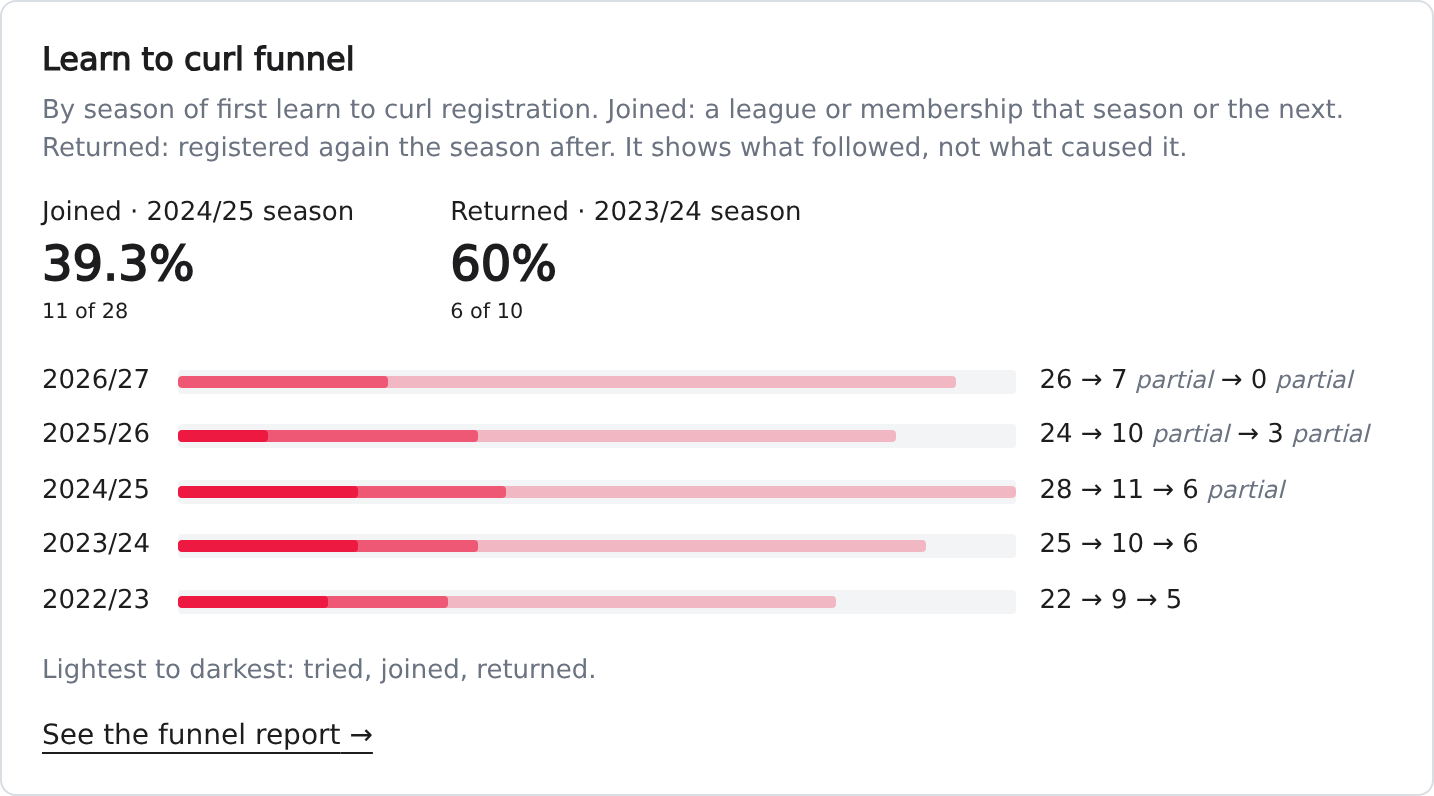
Select See the funnel report on the card for the full report. You can also find it under Reports > Registration > Learn to curl funnel. The report groups people by the season of their first learn to curl registration.
- Tried counts people who first registered for learn to curl that season.
- Joined counts those who then registered for a league or membership that season or the next.
- Returned counts those who registered for a league or membership again in the season after they joined. Returned % is the share of people who joined and then returned.
The report counts active registrations and skips pending carts and cancellations. Anyone who already registered for a league or membership before their first learn to curl registration is left out of all three counts, so experienced curlers taking a clinic don't inflate the numbers.
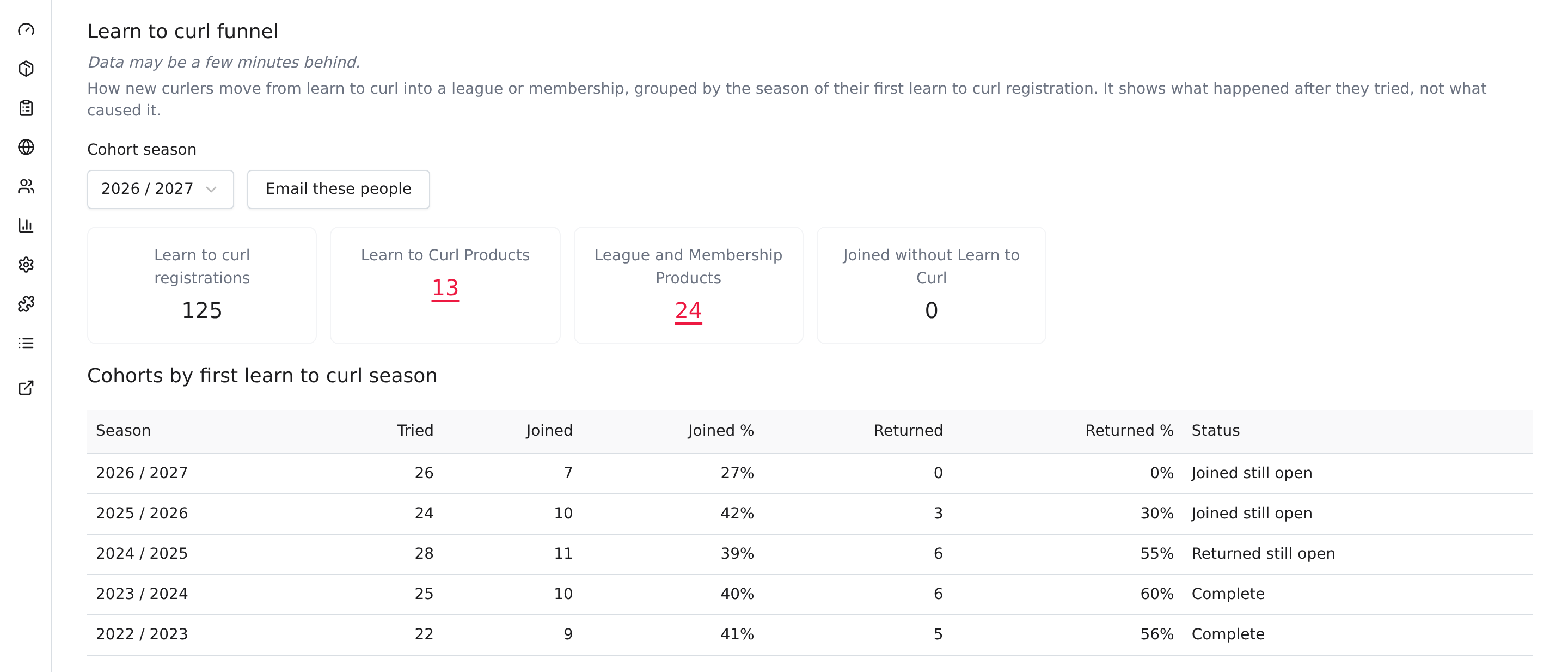
Check Status before comparing seasons. Joined still open means the season after learn to curl hasn't ended yet, so Joined and Returned are still partial. Returned still open means Joined is final and people still have a season to return. Once both windows close, the row says Complete.
Follow up with the people who haven't joined
The list at the bottom of the report starts with people who first registered for learn to curl this season and haven't registered for a league or membership yet. Choose a different year under Cohort season. If you have a beginner-friendly league, include its night and registration deadline in your note.
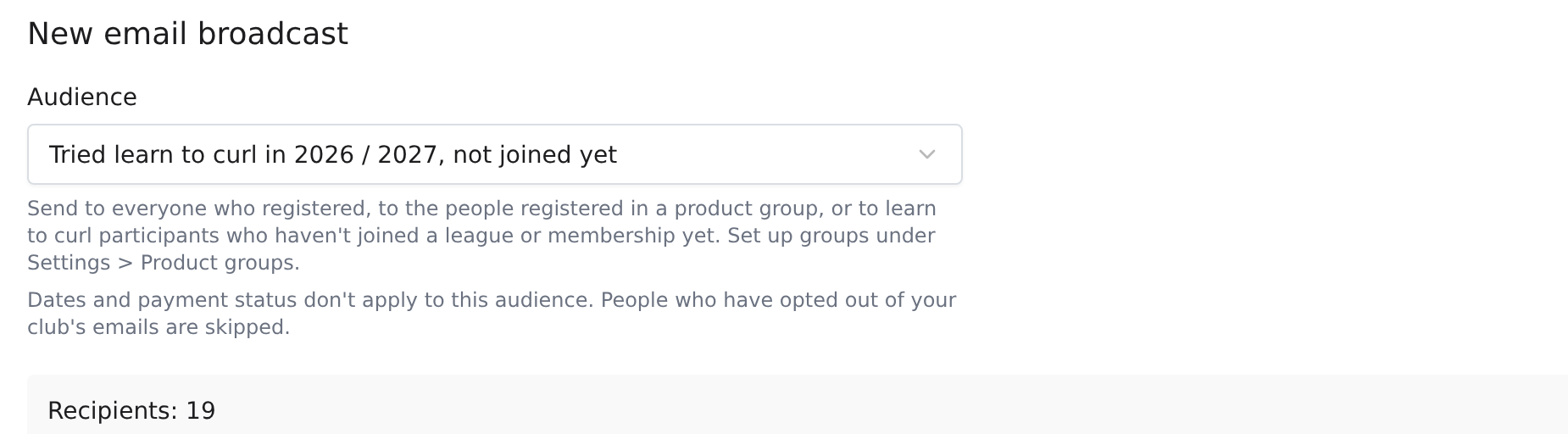
If you can send broadcasts, select Email these people to open an email broadcast for that season. Check Recipients, write your note, then select Send Email Broadcast. You'll need enough Platform Credits for the recipients. Curling IO sends one email to each account that placed a learn to curl registration, at the account's verified sign-in address, even if that account registered several family members. It skips anyone who has opted out of your club's broadcasts.
You can also select Download for a spreadsheet with names and available email addresses. Keep it private, and if you use it outside Curling IO, make sure your club has permission to email those people.
Under Participants > Email broadcasts, the Audience list now includes product groups too, such as Leagues and memberships.
Choose which products count
Every club names its programs differently. By default, the Learn to Curl group looks for product names such as "learn to curl," "try curling" and "initiation," and skips names containing words such as "instructor," "coach" or "volunteer." The Leagues and memberships group looks for league and membership products. A product called "Learn to Curl League" counts as learn to curl.
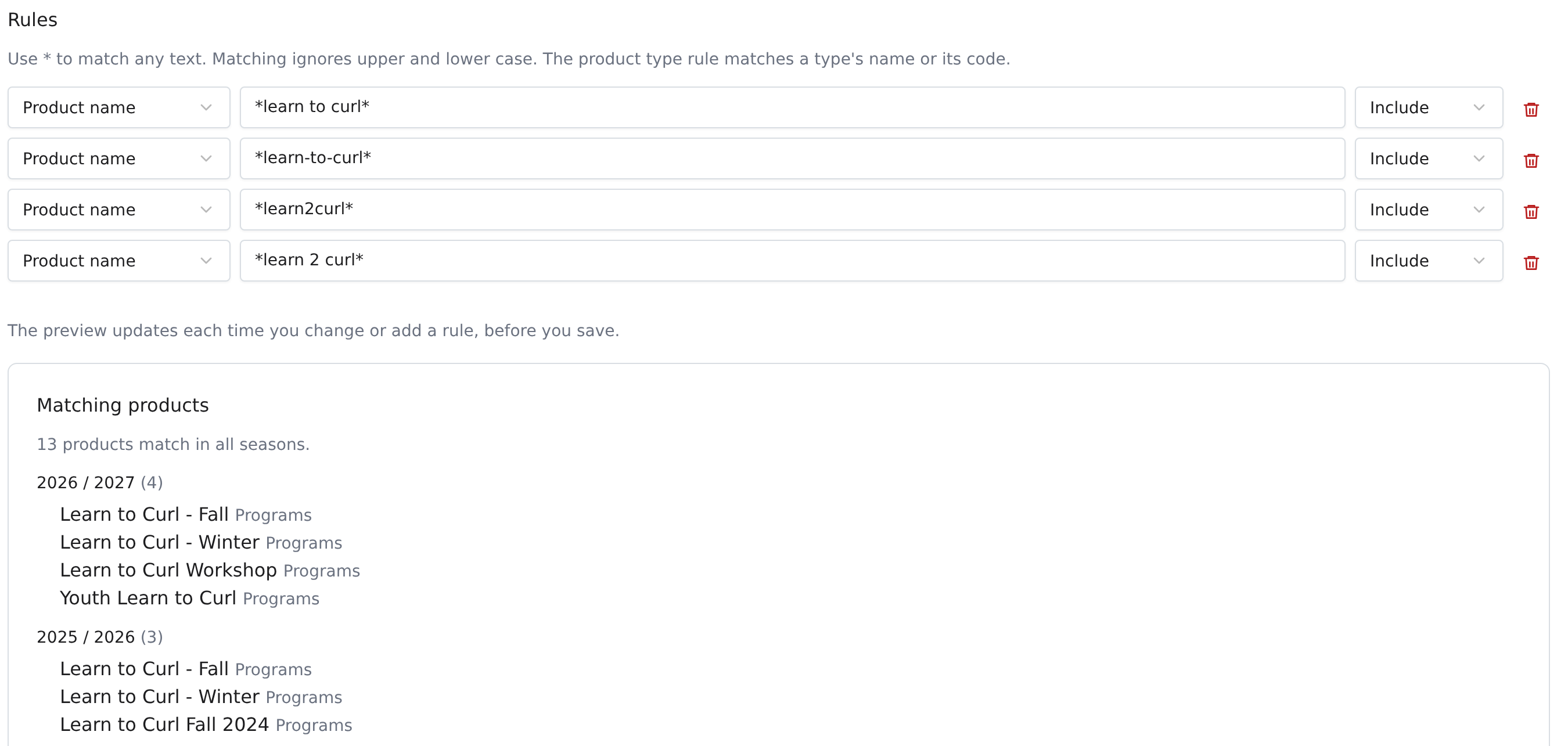
If we miss a product, or count one we shouldn't, go to Settings > Product groups and adjust the rules. Each rule picks Product name, Product type or Tag and either includes or excludes. For example, *learn to curl* matches a name with those words anywhere in it. Matching products shows what your rules match, season by season. When you select Save, your rules apply to every season, past and future.
What the numbers mean
If you change your learn to curl program, compare Joined % and Returned % across a few seasons marked Complete. The figures can show whether a larger share of people registered after the change. They can't tell you why.
If a learn to curl registration has no participant, the report uses the account that placed the order. That can lower your Joined rate when the person later signs up for a league under their own participant profile. To get the best numbers, turn on Participant on your learn to curl products, and use the same participant profile when the person signs up for a league.
See the Learn to curl funnel guide for the details.