Add results to another website
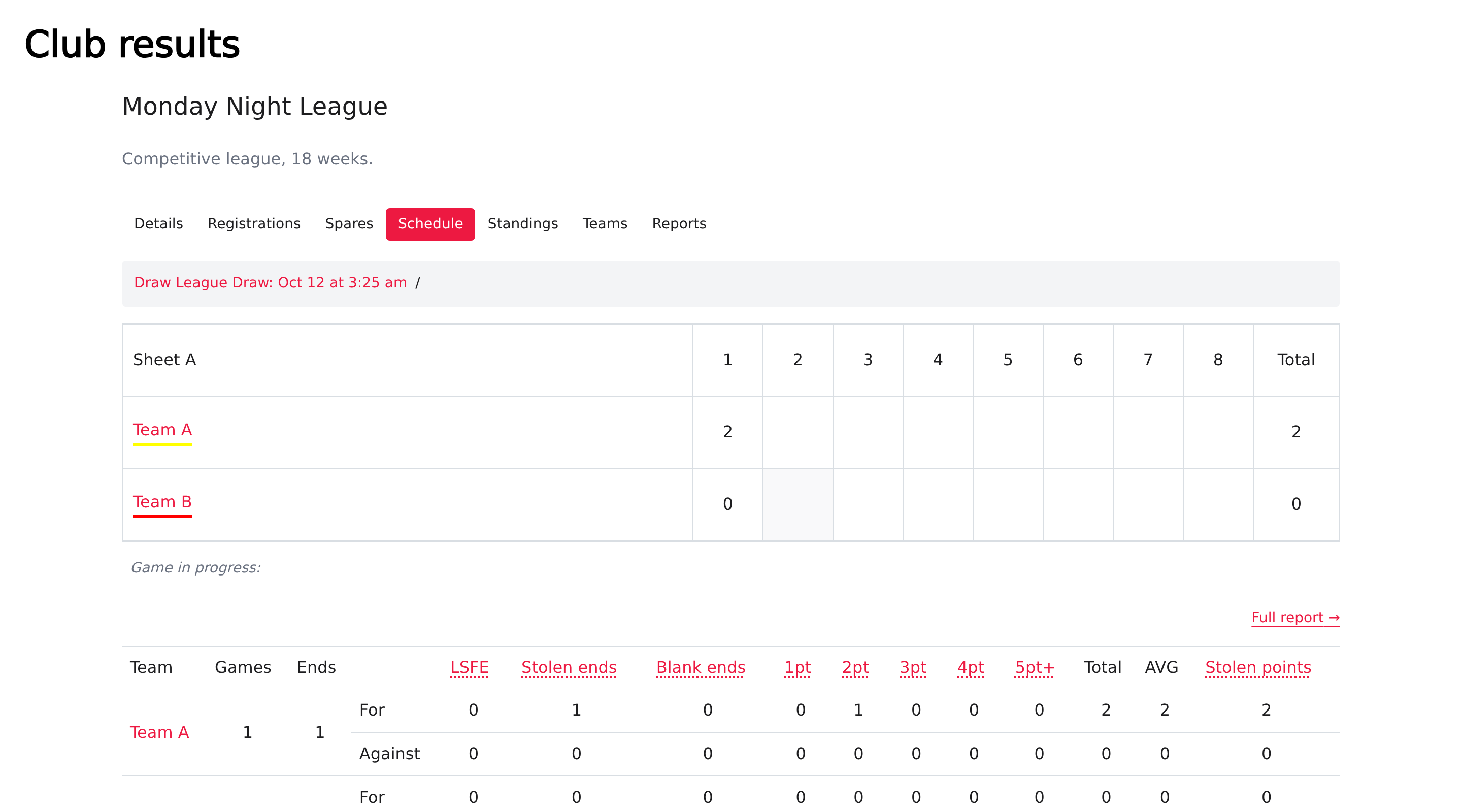
Add the Results embed to show an event's published schedule, standings, teams and game scores on a website you manage outside Curling IO. You continue to record scores in Curling IO.
If Curling IO hosts your club website, link visitors to the event's public Results page. You don't need this external-site snippet for that page.
Prepare the event
Open the event's Info page, turn on Publish results, then select Save. Check the event's public Results page before adding the embed.
The embed uses the event's published data. For end-by-end live scores, use Live scoring. End scoring requires active Premium; placing an embed doesn't enable it.
Add the snippet
- Replace
yourclub.curling.iowith your club's Curling IO address. - Replace
123with the event's ID, the number in its administration-page URL. For example,/products/leagues/123identifies event 123. - Put the snippet in your website's HTML where you want the results.
- Preview the published page and test the tabs and a game link.
Your website editor must allow HTML and JavaScript. Load the Results script once per page.
<curling-io-results
  styling="curling-io"
  section="leagues"
  event-id="123"
  default-event-section="schedule"
></curling-io-results>
<script src="https://yourclub.curling.io/widgets/results.js" defer></script>
Keep the element name curling-io-results exactly as shown. The
other embeds use different element names.
Choose what opens
| Attribute | Purpose |
|---|---|
event-id="123" | Open that event. Without it, open the selected category's list instead. |
section="leagues" | Choose leagues. Use section="competitions" for bonspiels. |
default-event-section="schedule" | Start on the schedule. The default is the event's details. |
styling="curling-io" | Use Curling IO's presentation inside the embed. |
language="fr" | Request French labels for a club with French enabled. |
color-mode="dark" | Request the dark presentation. |
Visitors can select Schedule, Standings, Teams and Reports. The available event details and results depend on its configuration and data.
Give Results its own page if your website uses the part of the address after
# for its own navigation. Results links also use that part of the
address. Copying the address after opening a game lets you share that detail;
reopening it returns to the selected game.
Check the scores
Select a game under Schedule and compare its most recent completed end and totals with Curling IO's Results editor. Test the page at the width where your visitors will use it.
If the expected results are missing, check Publish results, the event ID and your club address. Turning publication off hides public results; it doesn't delete the recorded scores.
A walkthrough video is deferred.