Club Affiliation for Membership Associations
Club Affiliation lets your member clubs register with your association and pay for it online. You set the price, choose the taxes, and decide what each club has to tell you. Each registration comes back to you in a report.
This page is for membership associations. Products > Club Affiliation appears in the admin only when your organization is a membership association.
Why use it
An association usually needs a yearly record of which clubs are members, and often charges for it. Without Club Affiliation, that means collecting club names and payments by email or by hand. With it, a club registers on your public site, pays in the same checkout curlers already use, and appears in your Club Affiliations report. You don't have to re-enter anything.
You can charge one flat amount, or a base amount plus an amount for each sheet of ice the club has.
Create Club Affiliation
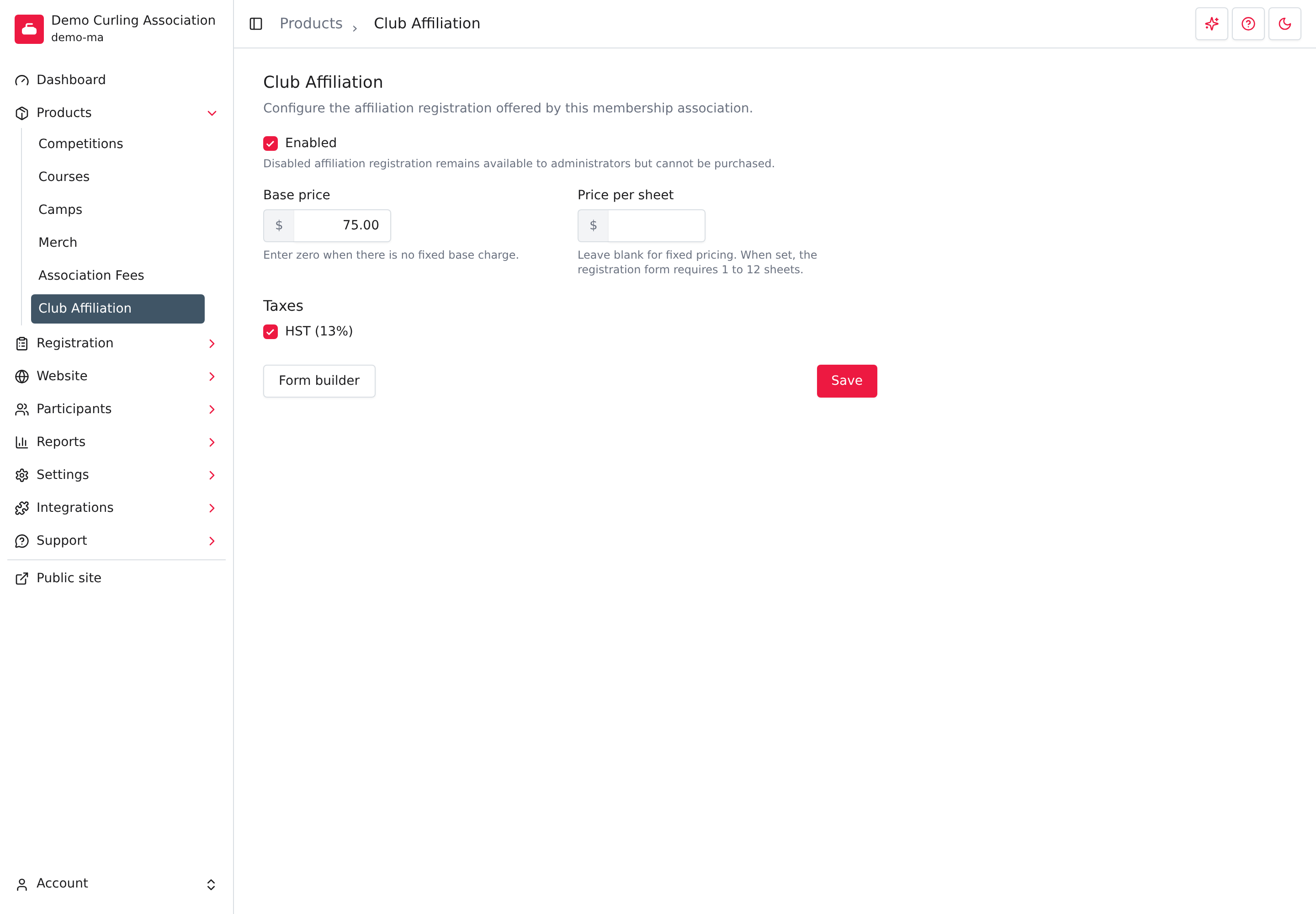
- Go to Products > Club Affiliation.
- Select Create Club Affiliation.
Curling IO creates the product turned off, so nobody can register yet. This gives you time to set the price and the form before you open it. Each association has one Club Affiliation product.
Set it up
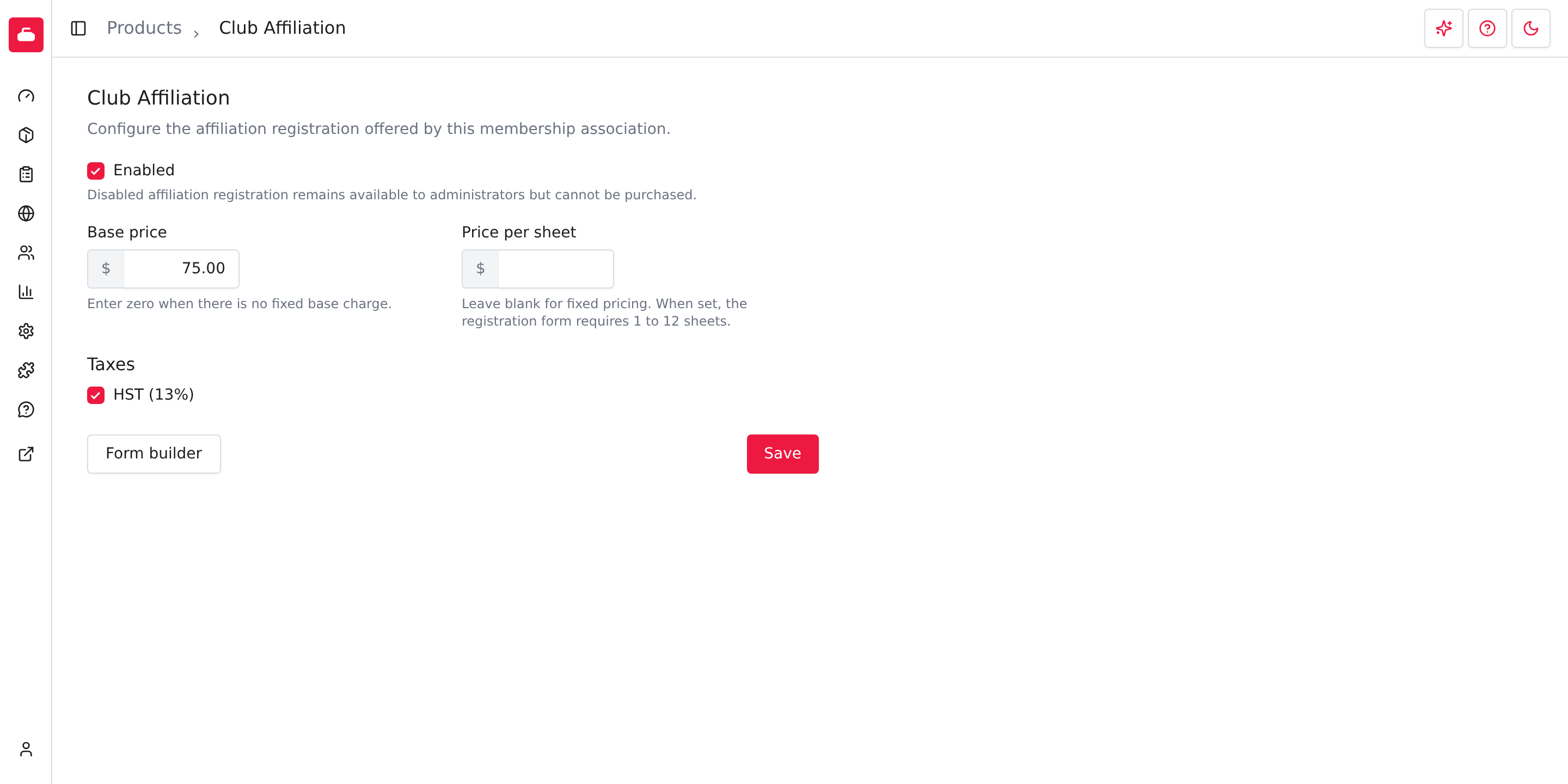
Base price
: Required. The fixed amount every club pays. Enter 0 if you don't charge a
fixed amount, for example when you charge only per sheet.
Price per sheet : Optional. Leave it blank for one flat price. When you enter an amount, the registration form asks the club how many sheets it has, from 1 to 12, and the club pays the base price plus this amount for each sheet. For example, a base price of $75.00 and a price per sheet of $25.00 comes to $175.00 for a club with four sheets, before tax.
Taxes : Check each tax that applies. This section appears only when your organization has taxes available to choose from. Taxes depend on your organization's province or territory, so if you expect a tax such as HST and don't see it, check your organization's address in Settings first.
Enabled : Check it to open registration to the public. Clear it to close registration. A club that visits the registration page while it is turned off sees that club affiliation is currently not available. This applies to administrators too.
Select Save when you finish. Curling IO confirms with Club Affiliation saved. If a price isn't valid, the page shows an error under the field and doesn't save.
Choose what clubs fill in
Select Form builder to choose the questions a club answers when it registers.
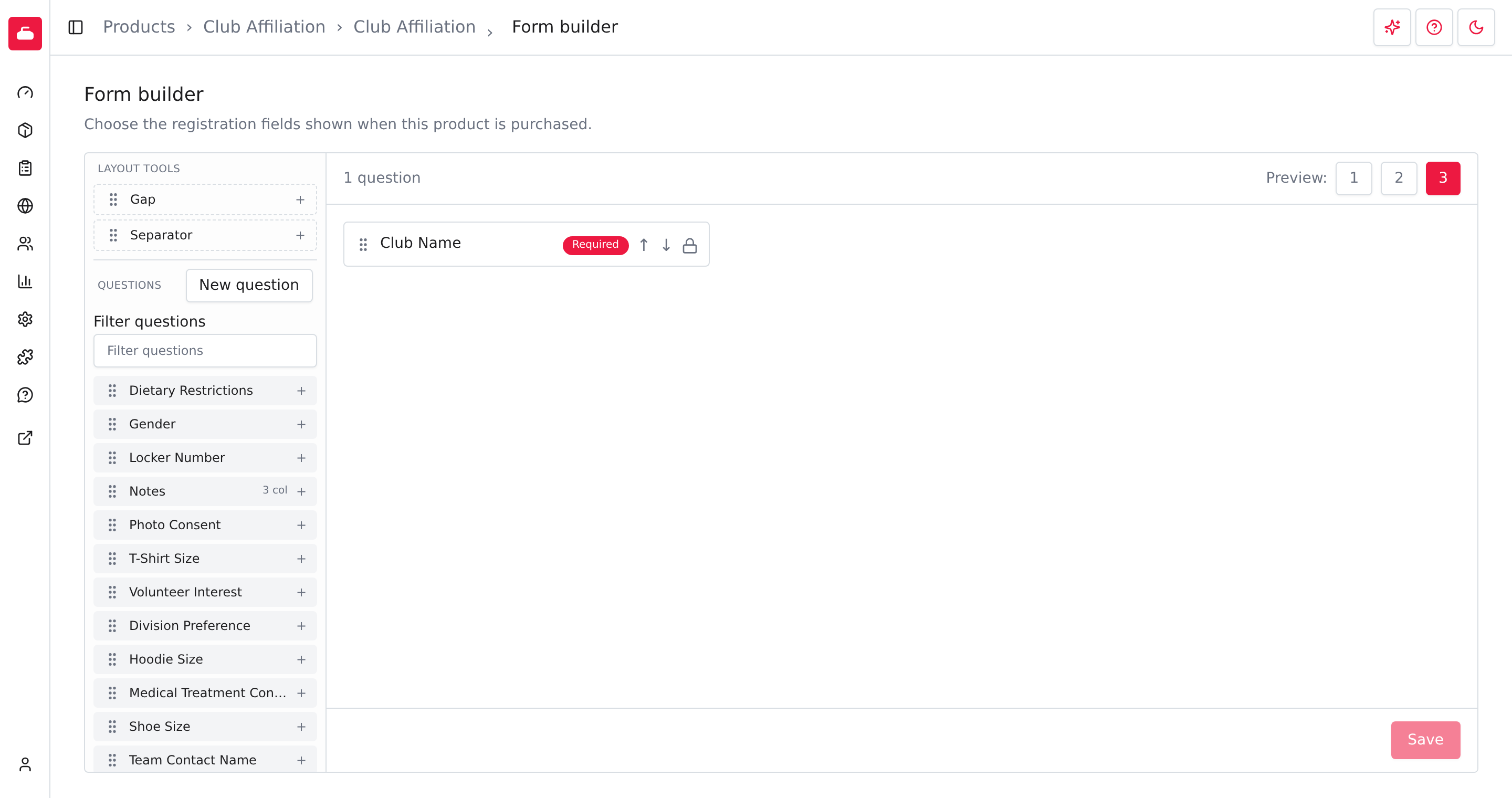
Club Name is already there. It is required and has a lock icon, so you can't remove it or make it optional. Curling IO saves the name the club gives at registration, and your report shows that saved name even if the club later changes its name.
Add other questions you want from every club, such as a contact person or a phone number. Pick one from the list on the left, or select New question to write your own. The form builder works the same way for every product, so see Form builder for the details.
If you set a Price per sheet, Curling IO adds a required Number of sheets question for you. Clearing the price removes it.
What clubs see on your public page
Your association's public site has a Club Affiliation page at
/club-affiliation, for example demo-ma.curling.io/club-affiliation. When
registration is enabled, the page shows the price breakdown and asks the visitor
to sign in.
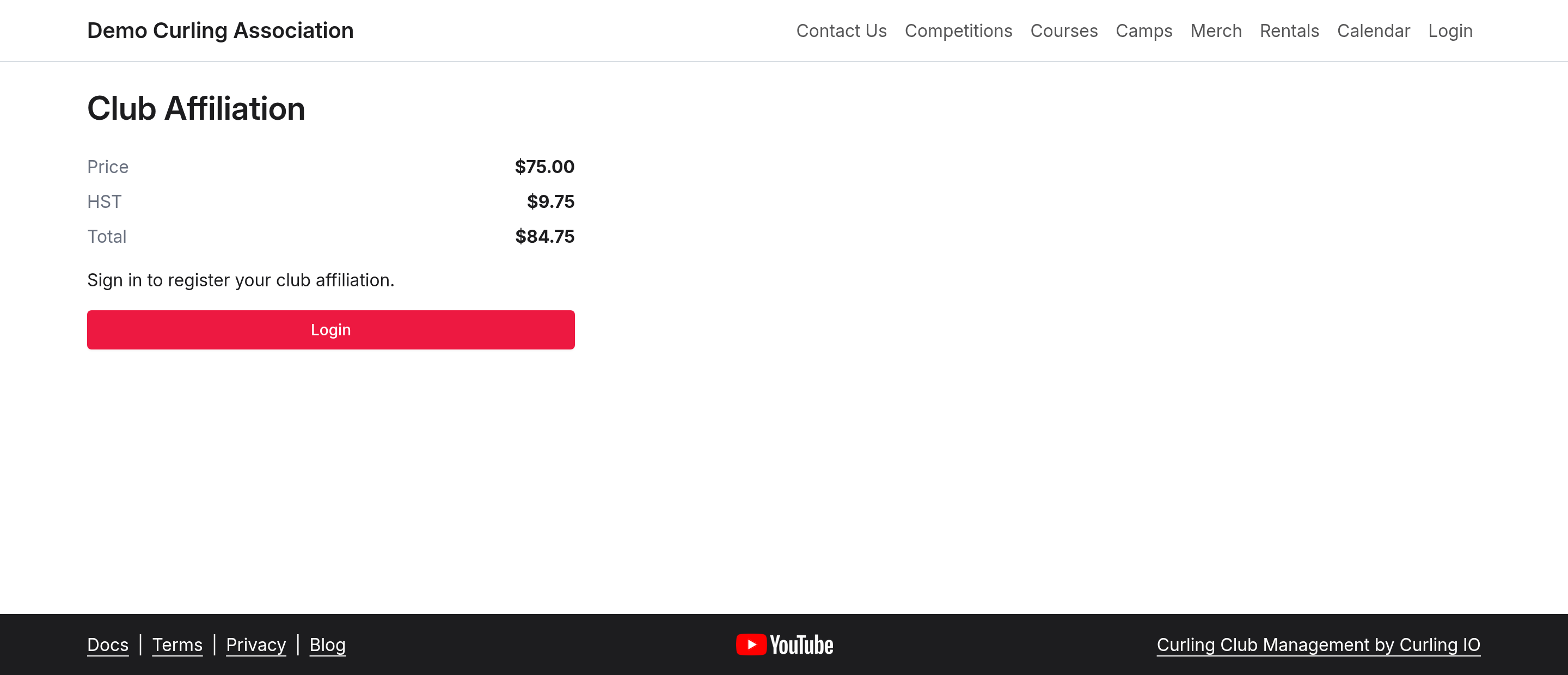
With a flat price, the page lists the price, each tax you checked, and the total. If you checked no taxes, it shows only the total.
With a price per sheet, the total depends on how many sheets the club has, so the page shows the base price and the price per sheet instead. When taxes apply, it adds a note that taxes are calculated after the sheet count is entered.
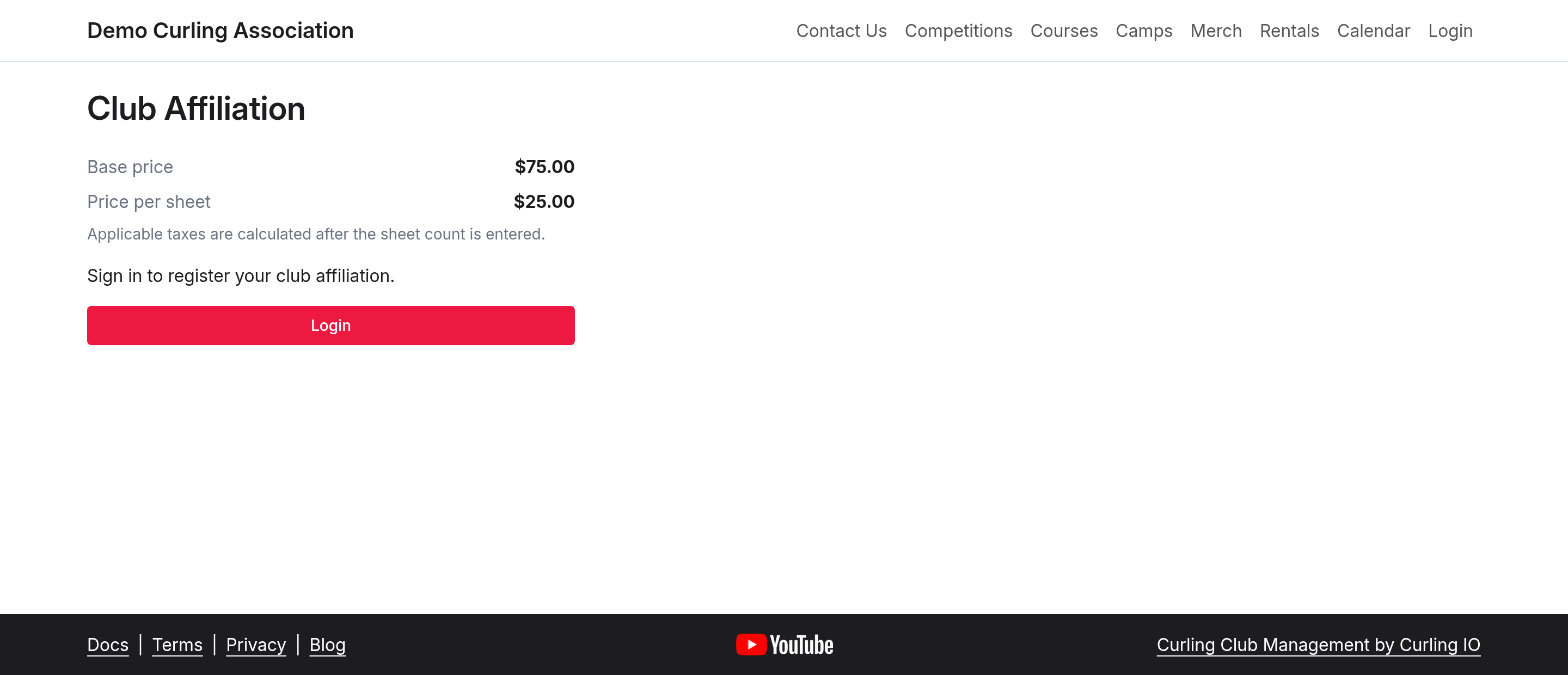
A visitor who isn't signed in sees Sign in to register your club affiliation. and a Sign in button.
Curling IO doesn't add this page to your public website menu. Send clubs the page address, or add a link to it from your own website pages.
Register a club
After signing in, select Start affiliation registration. This adds Club Affiliation to your cart. Select Needs information to fill in the registration form.
- Enter your club's name in Search club names, then select the matching club and location. If it is missing, check My club isn't listed and enter its name in Club Name.
- Answer the association's other questions. If it charges per sheet, enter the Number of sheets so the cart can calculate the price.
- Select Save and continue. Complete any other required steps until the cart shows Ready for checkout.
- Review the total and use one of the available checkout methods to finish. Saving the form alone does not submit or pay for the registration.
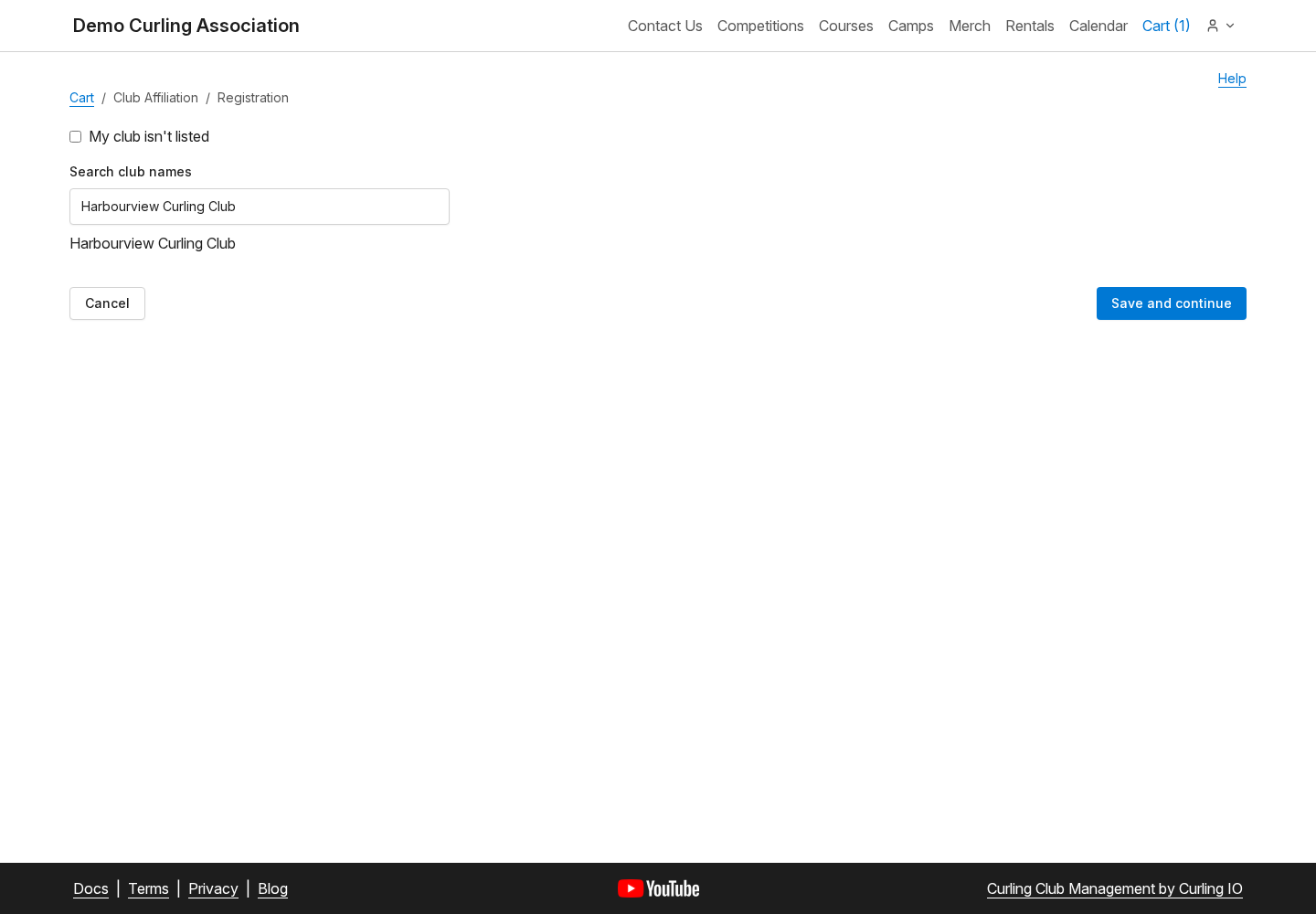
If you've already added the registration to your cart, the public page shows Continue affiliation registration so you can return to its form.
Start from a member club's admin
A member-club administrator can go to Products > Association Fees and select Register club affiliation in the Club Affiliation section. This opens the association's public registration page with the club identified. Sign in with an account that administers that club, then continue the same cart workflow.
The shortcut appears when the club's parent association offers an enabled Club Affiliation product. It does not register the club or make a payment by itself. See Association Fees for participant fees.
How it fits with other pages
- Association Fees are charges for each participant, such as a membership fee, and every member club passes them on to its curlers. Club Affiliation is a single charge to the club itself. They are separate products and you set up each one on its own. See Association Fees.
- Club Affiliations report lists every club that has registered with you, with the saved club name, who registered it, the total, and whether it is paid. You can search by club name and download the list. It appears under Reports > Registration once Club Affiliation exists, and turning the product off doesn't hide earlier registrations. See the registration reports overview.
Troubleshooting
Club Affiliation isn't in the Products menu
The item appears only for membership associations. If you manage an association and can't find it, contact support.
The public page says affiliation is not available
Registration is turned off. Go to Products > Club Affiliation, check Enabled, and select Save.
The tax I need isn't listed
Taxes depend on your organization's location. Check Location in Settings > Contact. If it is correct and the tax is still missing, contact support.