Collect an ordinary seasonal fee
Create the fee under Products > Fees, then attach it to the registration product as a required addon. Set a participant purchase limit when the same person should pay it only once each season.
This example creates Club Development Fee 2026-27 for $25.00 and attaches it to Thursday Evening League 2026-27. It is an ordinary club charge, not a reserved association fee.
Before you start
Use the enabled Fees starter type, which has all six capabilities. This example needs Purchasable for its price, Registerable for the participant limit and Dates for its seasonal period. Leave event settings off.
Your club may have renamed the type. Check product types if the required settings are missing. You need access to create and edit both the fee and the product that will collect it.
Create the fee
- Under Products > Fees, select New product.
- Enter Club Development Fee 2026-27 as the Name and leave Enabled checked. Use Seasonal club development fee, once per participant. as the Summary. Complete translated fields for your club's languages.
- Set Starts to October 1, 2026 at midnight and Ends to September 30, 2027 at 11:59 p.m. Use your club's actual seasonal period.
- Turn on Availability and choose Addon only under List as.
- Fill in Opens and Closes. This example uses the same period as Starts and Ends.
- Leave Inventory blank when there is no stock limit.
- Choose Once per season per participant under Purchase limit. This also enables Participant. Leave participant restrictions blank unless the fee has an eligibility rule.
- Turn on Pricing, enter 25.00 as the Price, and choose the taxes that apply. This example has no taxes selected.
- Leave Event Settings, Schedule and Results off, then select Save. Open Info to check the saved settings.
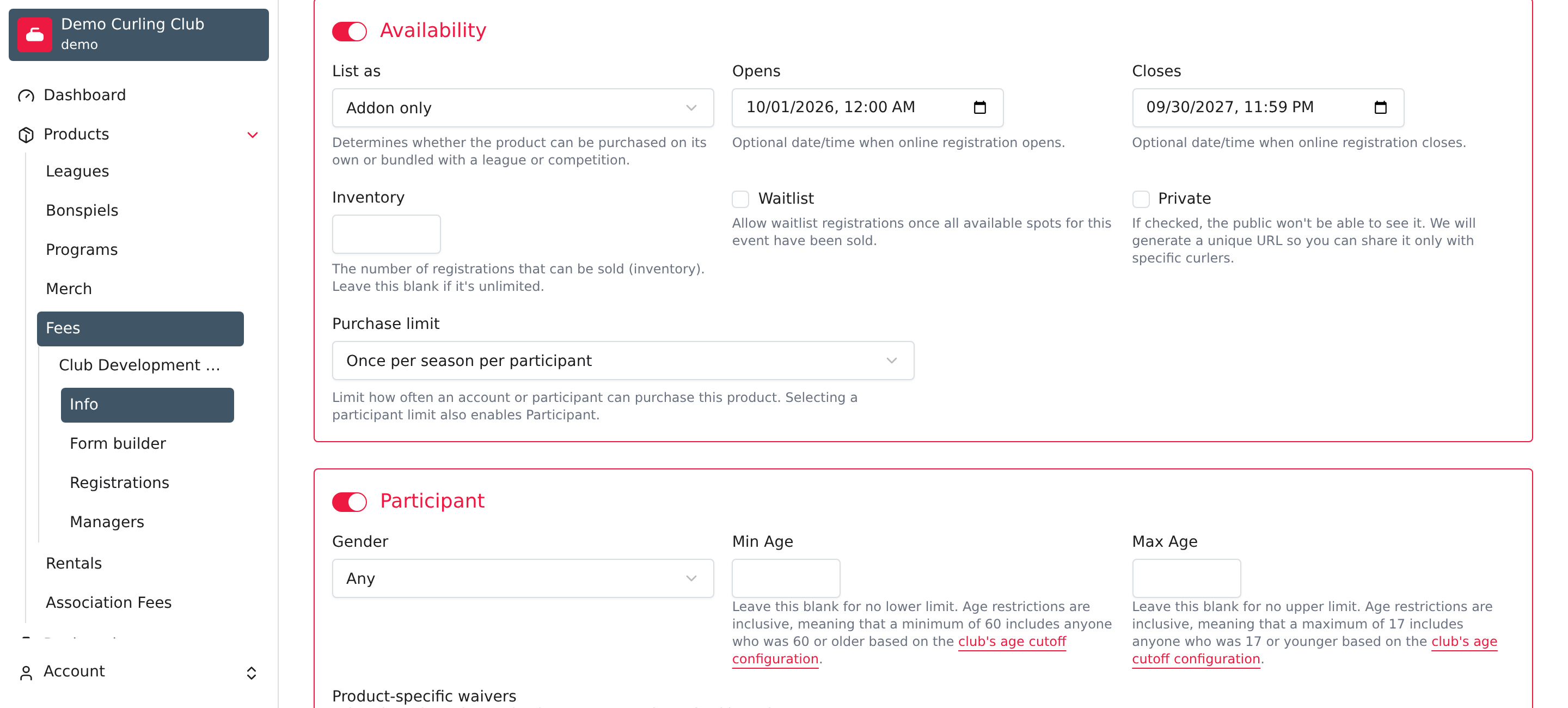
Addon only keeps this product out of the ordinary standalone list. Choose Standalone and addon instead if people should also buy it separately. See purchase limits for the other limit choices.
Attach it to registration
- Open Thursday Evening League 2026-27, or the actual product that should collect the fee, then select Info.
- Confirm Participant is on so the registration identifies the person responsible for the seasonal fee.
- Turn on Addons, select Add Addon, and choose Club Development Fee 2026-27 under Select a product.
- Check Required beside the fee and select Save.
- Open Info again and confirm that the fee is attached and Required remains checked.
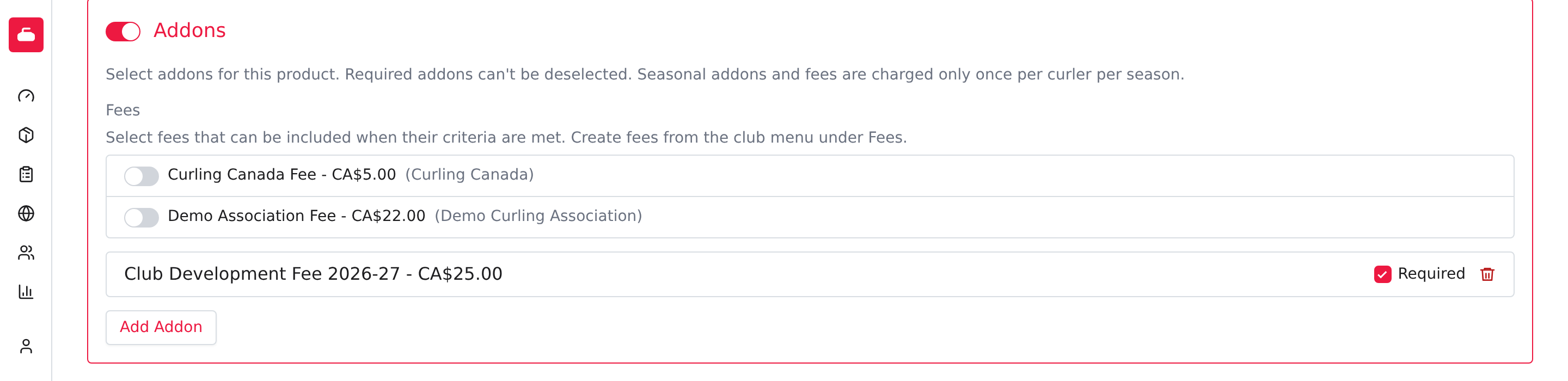
The required assignment and purchase limit work together: eligible participants include the fee when needed, while the configured limit prevents paying it again in the same season. Don't assume every addon has that limit. An optional assignment lets the purchaser skip the fee.
Inherited association fees appear separately. Don't replace them with this ordinary fee product. Follow Association fees for their eligibility and inheritance rules, and Addons for ordinary assignments and exclusions.