Create a program or course
Use Products > Programs for a class people register for. Select New product, then turn on Availability, Participant and Pricing. Leave competition settings off unless the program actually needs them.
This recipe creates Learn to Curl, November 2026: four Saturday morning sessions, $120.00 per participant, and 24 places.
Choose the type
The enabled Programs starter type is a good default. It includes all six capabilities, though this recipe uses Purchasable, Registerable, Dates and Inventory. The Event capability doesn't require you to use teams, stages or scoring.
If your club wants a separate Courses category, enable that starter under Settings > Product types. Courses starts disabled. Reuse Programs unless the separate category helps your club organize its offerings.
You need permission to create products. If your club has renamed Programs, use its equivalent category and check the needed capabilities before starting.
Set up the class
- Select New product and enter Learn to Curl, November 2026 as the Name. Leave Enabled checked.
- Enter Four Saturday morning sessions for new curlers. as the Summary. Use Description for the actual session dates, what to bring, accessibility information and any other details registrants need. Complete translated fields for the languages your club uses.
- Set Starts to November 7, 2026 at 10:00 a.m. and Ends to November 28, 2026 at noon. These describe the program's period, not four separate bookings.
- Turn on Availability and choose Standalone only under List as.
- Set Opens to October 1, 2026 at midnight and Closes to November 6, 2026 at 11:59 p.m. Enter both boundaries and use your own registration dates for a real program.
- Set Inventory to 24 and leave Private unchecked.
- Turn on Participant so each registration identifies the person taking the class. Choose any age restrictions or waivers the program needs; this example has no age restriction.
- Turn on Pricing, enter 120.00 as the Price, and select applicable taxes. No taxes are selected in this example.
- Leave Event Settings, Schedule and Results off when available.
- Select Save.
The overview should show Info, Form builder and Registrations. It doesn't need competition tools for this class.
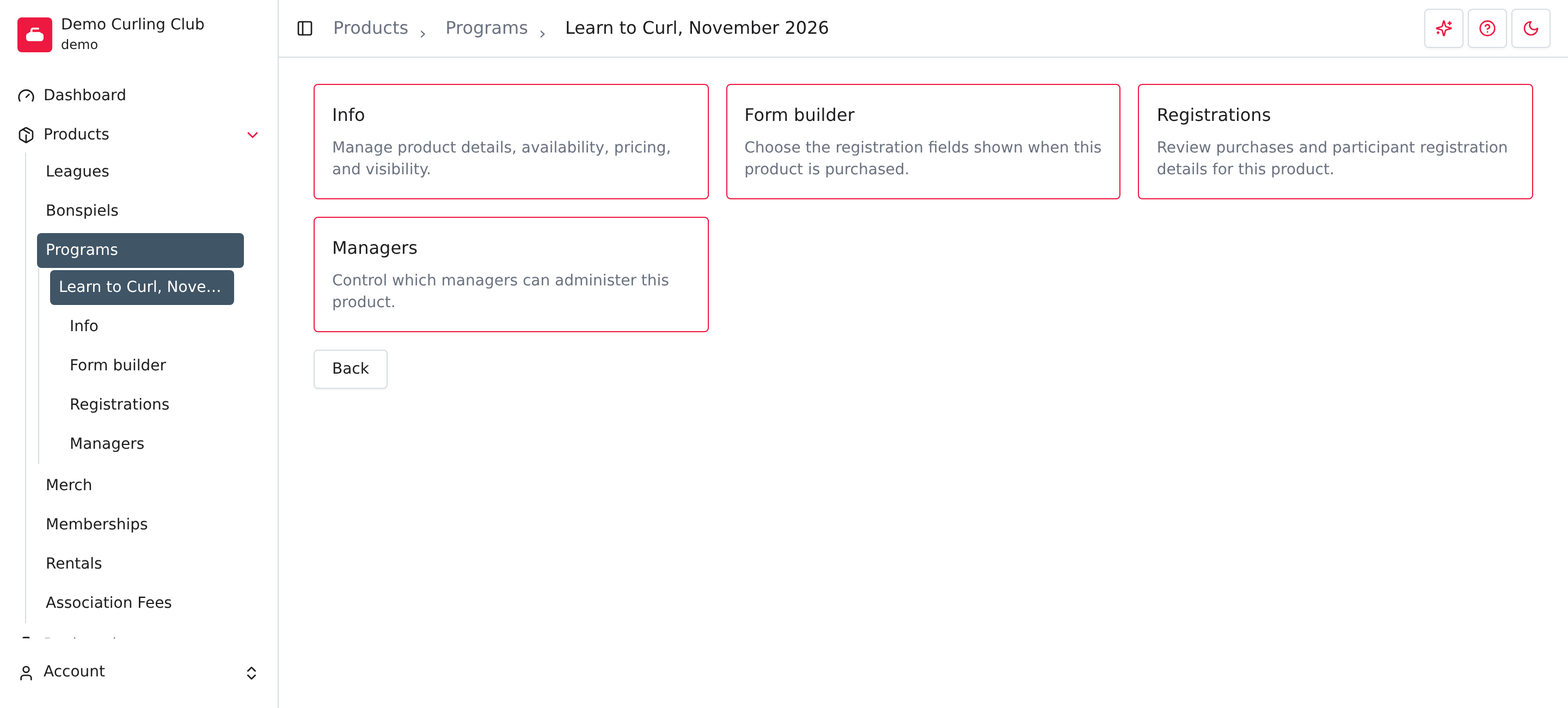
Collect useful registration answers
Open Form builder to add and arrange questions that belong to this class registration, then save the layout. For example, ask about previous curling experience if the instructor needs it.
Keep lasting participant details, such as emergency contacts, in the participant form. This avoids asking people to provide the same profile information for every class. Use the registration list to review completed entries.
Check the public result
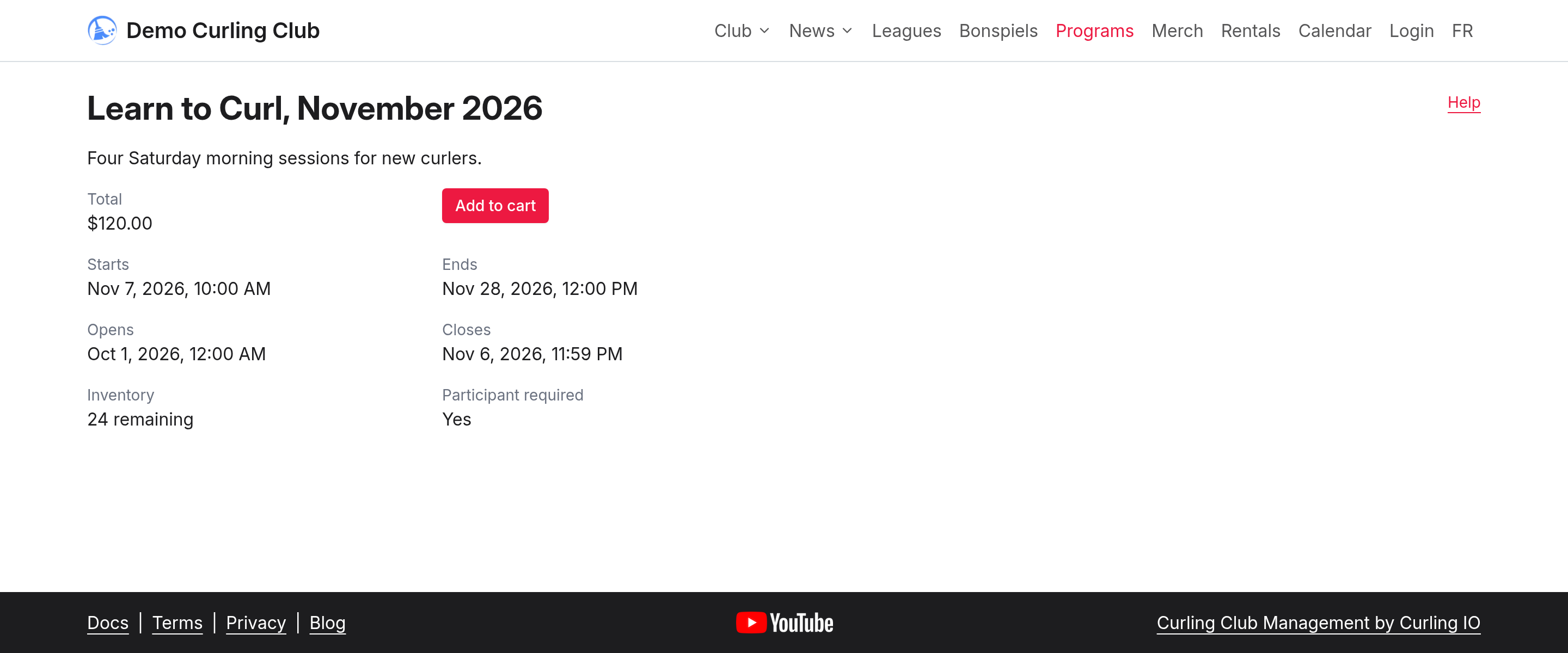
Open the program on your club's public site. During the example's registration window, the details show $120.00, 24 remaining, Participant required: Yes, and Add to cart. Check the dates and summary before sharing it.
Use Addons for optional items or required fees, Discounts for reduced prices, and Waitlist when you want to collect interest after the class fills. See Info for the full settings reference.