Sage 50 export
Use the Sage 50 report to create a general-journal text export from Curling IO accounting transactions.
Prepare the export
Configure and verify Settings > Accounting Codes first. The account codes in Curling IO must match accounts in the Sage 50 company file that will receive the import.
Go to Reports > Accounting > Sage 50 and set From and To.
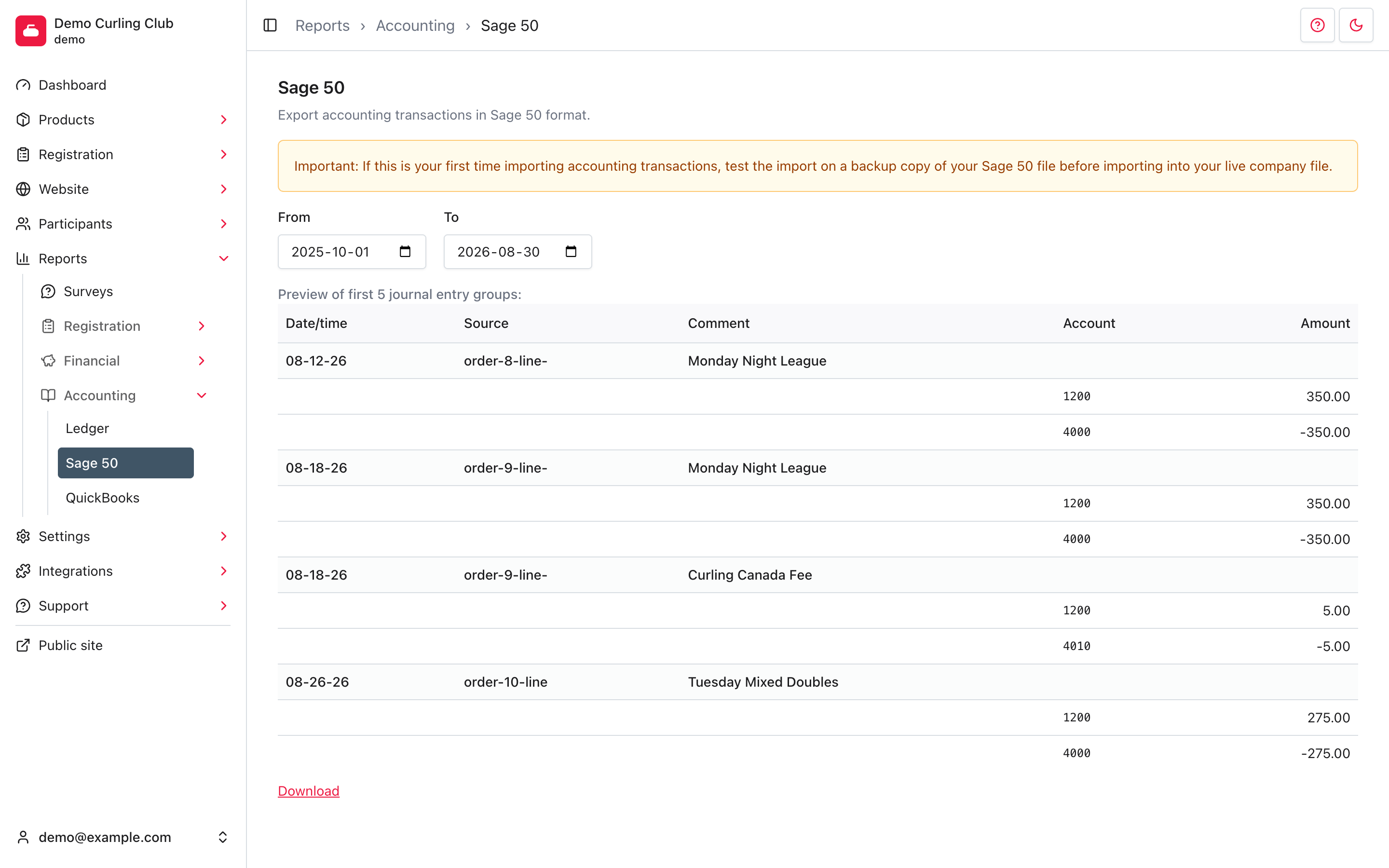
The page previews the first five journal entry groups. Each group starts with its date, source ID, and comment, followed by the account amounts. Positive and negative rows balance the group. The preview is a sample; the download includes every matching group.
Download and test the file
Select Download to save accounting-sage50.txt.
Before importing into your live company file:
- Back up the Sage 50 company file.
- Import into a test or backup copy first.
- Confirm the accounts, dates, signs, source IDs, comments, and totals.
- Correct missing or inaccurate account codes before creating a replacement export.
Downloading does not mark transactions as exported. Keep a record of the dates you used to avoid importing the same entries twice.