Club credit logs
Use the Club credit logs report to review club credit changes across your organization. It shows grants, reductions, payments, refunds, and deleted payment or refund records. Use it when you need to trace why an account's credit changed or find credit activity for an email address.
This report is a change log. It does not show each account's current balance. Go to Registration > Club Credits to review balances or add and reduce credit.
The screenshot uses the previous Account Credits label. The report now uses Club Credits.
Open the report
Go to Reports > Financial > Club credit logs.
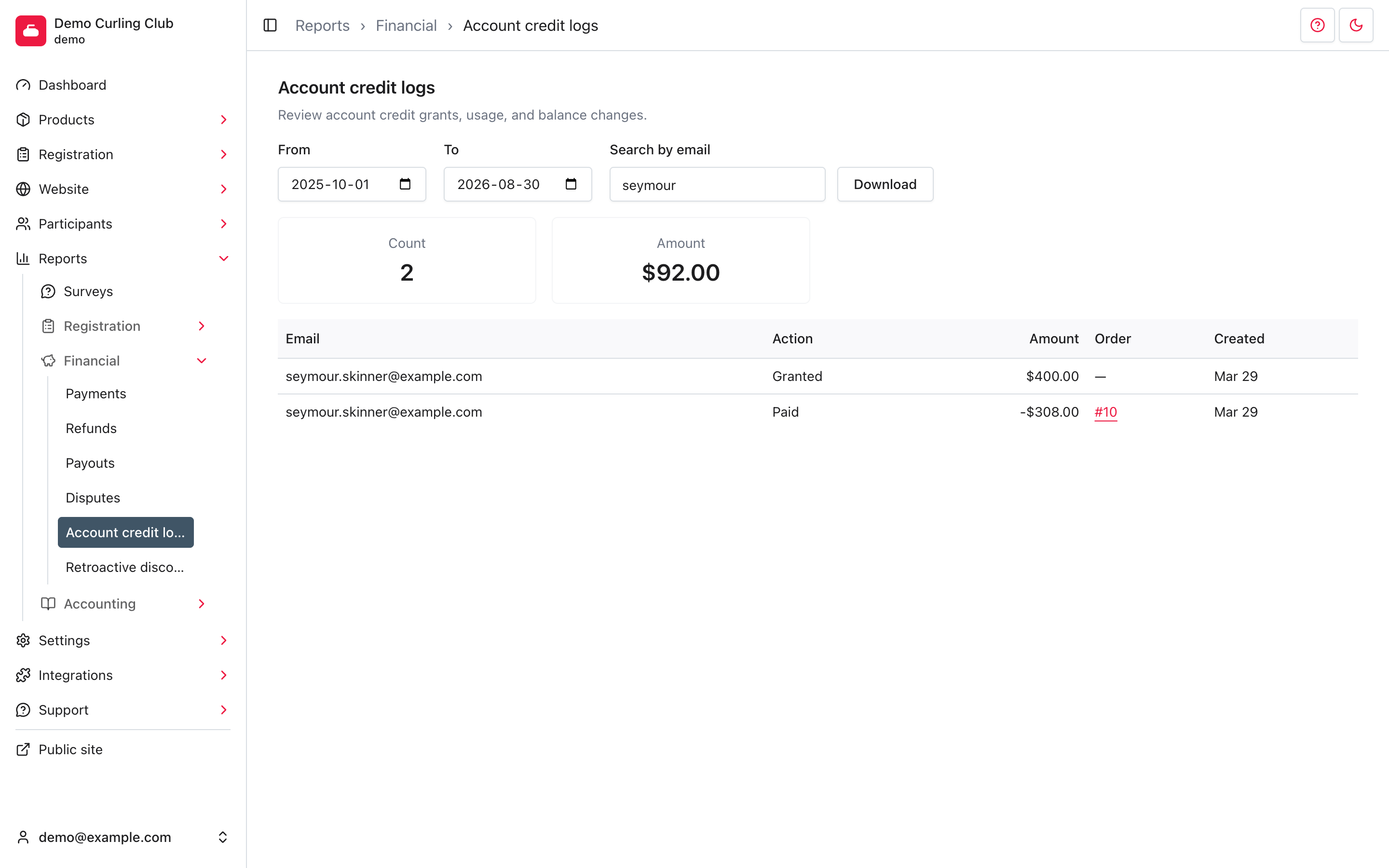
The report opens from the start of your current season through today. Rows are shown newest first.
Find club credit activity
The filters update the report automatically:
- From and To filter when the credit change was created.
- Search by email matches the beginning of an account's email address. For
example, enter
seymourto find[email protected]. The search is not case-sensitive.
Each page shows up to 12 rows. Use Next and Previous below the table to move through longer results. The summary covers every matching row, not only the current page.
Understand the results
Count is the number of matching credit changes. Amount is their net total. Positive changes add to the total and negative changes subtract from it. For example, a $400.00 grant and a -$308.00 payment produce a net amount of $92.00.
The Action column explains why the balance changed:
- Granted adds credit through an administrator adjustment.
- Reduced removes credit through an administrator adjustment.
- Paid uses credit to pay for an order.
- Refund issued adds credit when a payment is refunded to club credit.
- Payment Deleted reverses credit use when its payment is deleted.
- Refund Deleted reverses granted credit when its refund is deleted.
When a change belongs to an order, select its number in the Order column to open the order under Registration > Orders. A dash means the change is not linked to an order, such as a direct grant or reduction.
The report records changes, so deleting a payment or refund adds another log entry instead of removing the original history.
Download the results
Set the date range and email filter, then select Download. The file is named
club_credit_logs.csv and contains every matching row, not only the current
page.
The download includes Email, Action, Amount, Order, and Created. Opening the file does not change club credit or any related order.