Review imported member records
Use Reports > Registration > Members to review member records brought over from V2, then filter or download them by season. This is a historical report. New V3 registrations don't add records to it, and editing a participant profile doesn't update its saved member details.
Use Line items when you need current registrations, or Participants for current profile details.
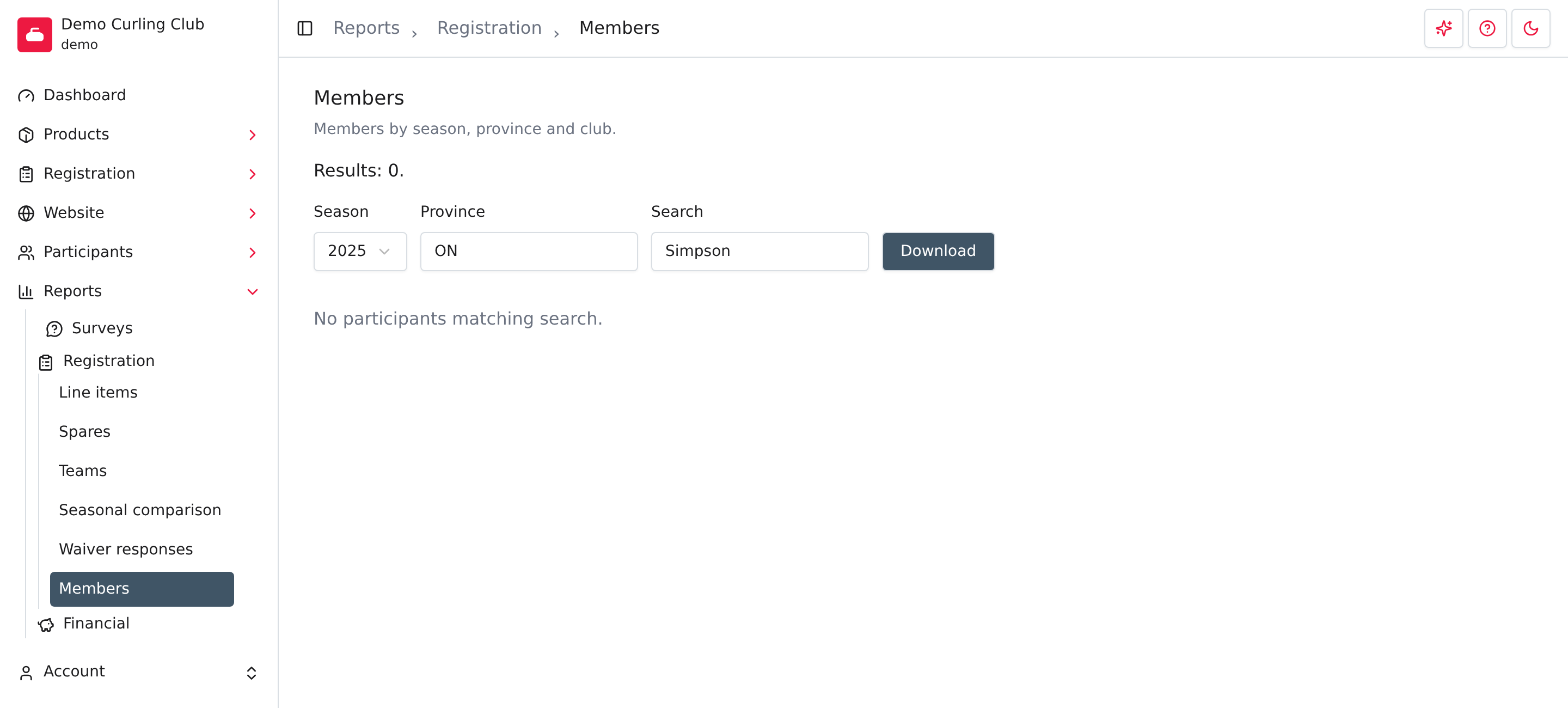
Choose the records to review
- Open Reports > Registration > Members.
- Choose Season. The year identifies when that season started. The report selects the latest season available in its imported records by default.
- Enter a province code in Province if you want to narrow the list, for
example
ON. - Enter terms in Search if needed, then press Enter to apply the filters.
Search checks the saved participant identifier, name, postal code, city, province and club name. It doesn't search email addresses. When you enter several terms, each term must match; you can use the beginning of a word.
Membership associations also have a Club filter. A club sees its own imported records; an association sees imported records linked to its member clubs. These records don't create new memberships or registrations.
If the list is empty, check the season and clear the other filters. A new club or a club without imported member records can have an empty report even when it has current registrations.
Read the list
The report shows the saved season, name, gender, date of birth, postal code, email, phone, city, province and club. The screen shows up to 12 records per page. Use the page controls when there are more results.
These are the details saved in the imported member record. Check a current participant profile before using the report as a contact list.
Download the filtered list
Set your filters, then select Download. The file is named members.csv
and uses the same filters as the screen. It includes matching records beyond
the visible page, subject to any export limit configured for the association
or national report.
See Registration reports for the general download workflow. Downloading doesn't update profiles, create memberships or send messages.