Accounting Codes
Use Settings > Accounting Codes to map Curling IO activity to your organization's chart of accounts. These codes appear in the Ledger, QuickBooks, and Sage 50 reports.
Ask your bookkeeper or accountant which codes to use. Curling IO cannot choose the correct chart of accounts for your organization.
Configure the codes
Go to Settings > Accounting Codes and turn on Accounting codes.
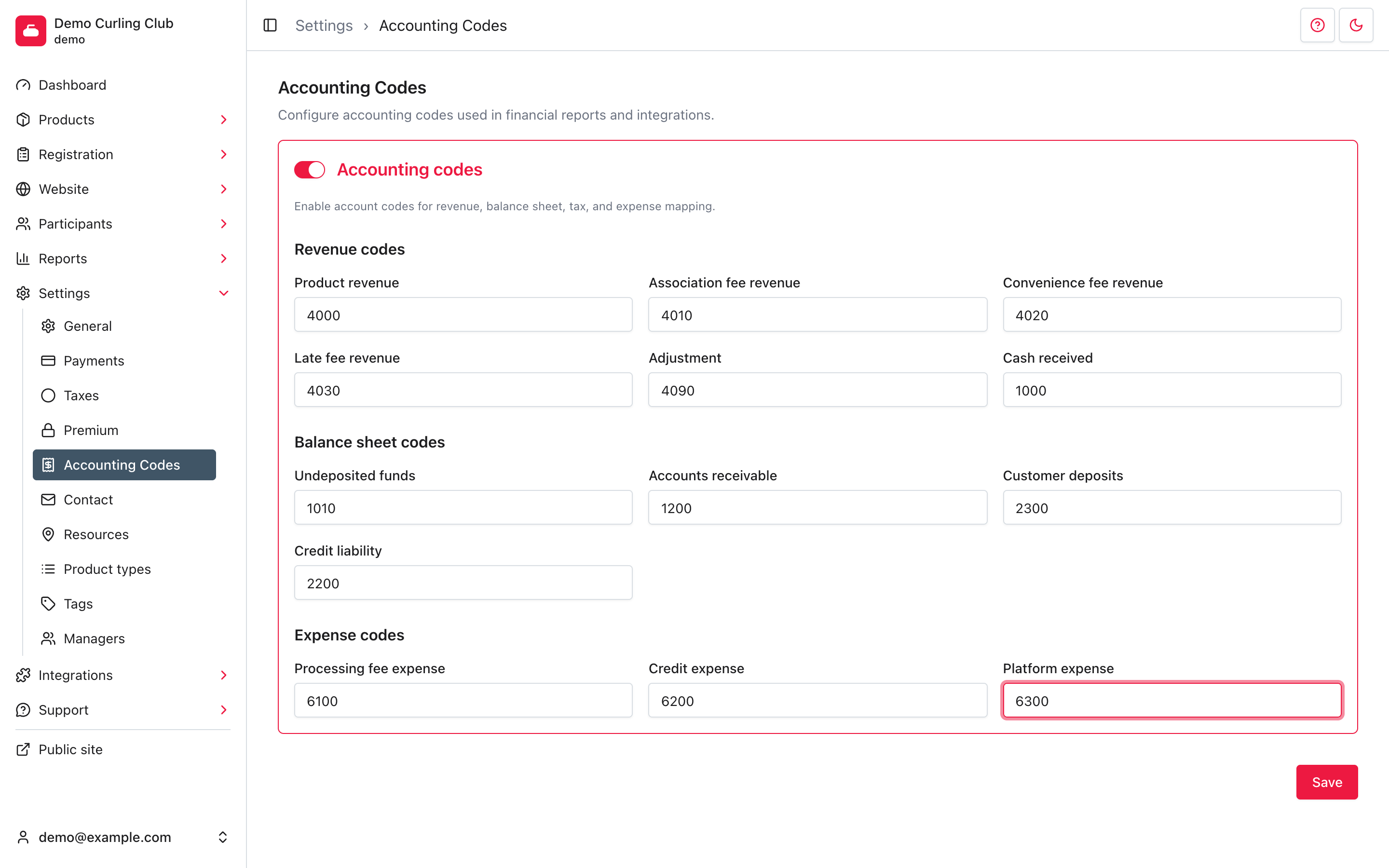
Enter the codes your organization uses:
- Revenue codes map product sales, association fees, convenience fees, late fees, adjustments, and cash received.
- Balance sheet codes map undeposited funds, accounts receivable, customer deposits, and club credit liability.
- Expense codes map processing fees, club credit expense, and platform expense.
The same code may be appropriate for more than one field, but that is an accounting decision. Do not copy the fictional codes in the screenshot without confirming they match your chart of accounts.
Select Save. Curling IO confirms Accounting codes saved.
Understand changes to codes
Accounting transactions keep the account code recorded when the transaction was created. Changing a setting does not silently rewrite earlier ledger rows. Use a new date range after changing codes and review the resulting entries before importing them into another system.
Turning Accounting codes off clears the saved mappings after you confirm. Existing ledger entries keep their recorded codes; new transactions use the default codes. Check with your bookkeeper before turning this setting off.