Contact
Use contact settings to edit the phone number, email address, social links, and people shown on your organization's public contact page. Your address and time zone are shown here for reference. Curling IO manages them; contact support for corrections.
Use a shared office or membership email address when possible. The main Email field is public, even if every person in Organization contacts is marked private.
Open contact settings
Go to Settings > Contact.
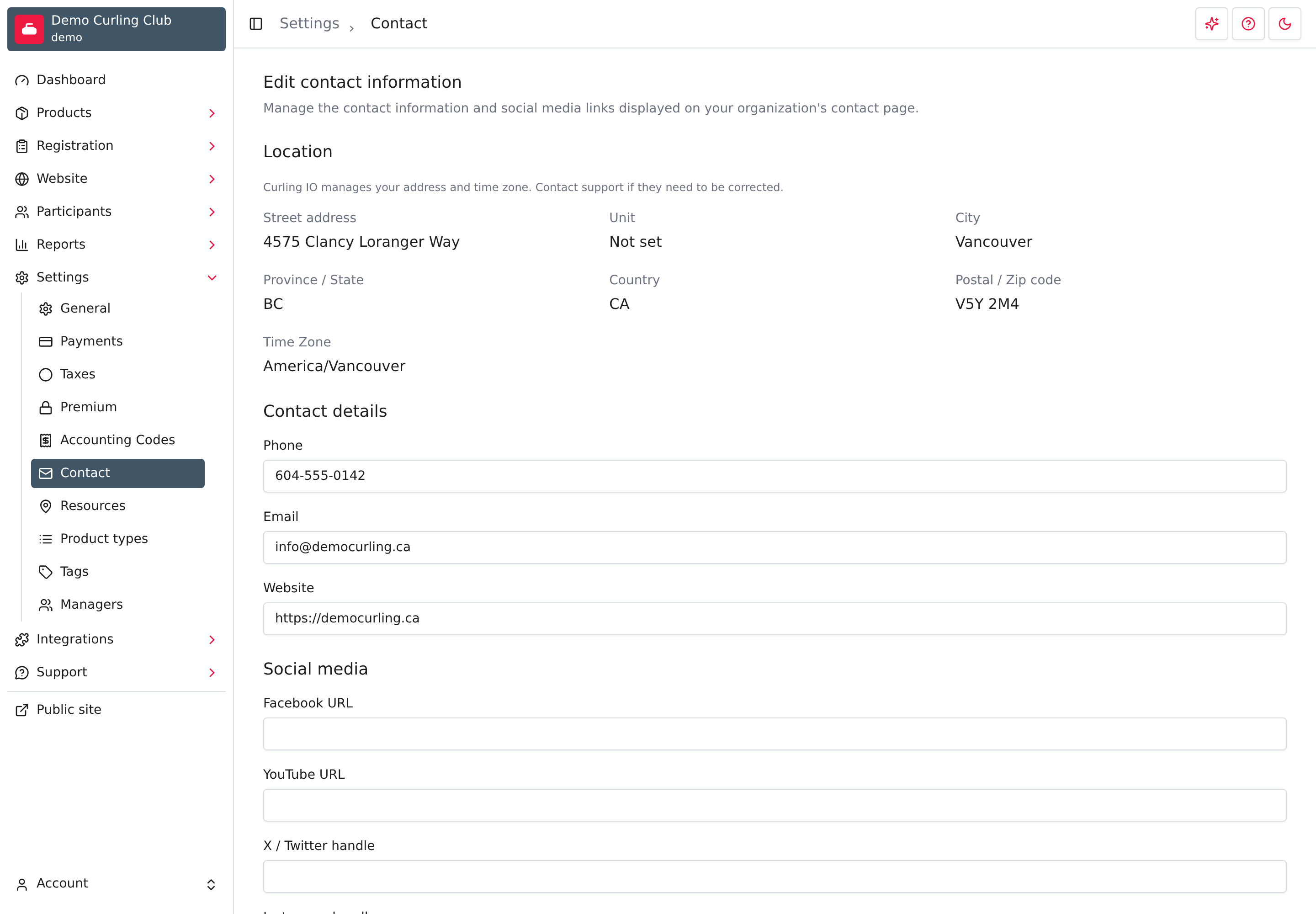
Changes across all three sections are saved together. Select Save at the bottom when you have finished editing. Leaving the page without saving discards your changes.
Check the location
Location shows your saved address and Time Zone. These values are read-only. If anything is wrong or missing, contact Curling IO support.
The public contact page displays the address as a link to Google Maps. The time zone is used when displaying and interpreting dates and times, including schedules. It should match the organization's location, not the location of the person using the form. Saving contact details does not change either value.
Edit the main contact details
In Contact details, enter the main Phone, required Email, and optional Website. The phone and email become clickable contact links; Website appears as Official website.
Enter complete website URLs, including https://. You do not need a separate
website to use Curling IO's built-in public contact page.
Set the footer policy links
Go to Settings > Policies to edit your club's Terms and Privacy text in English and French. You can also set an external URL for either policy. Leave that URL empty to use your club's policy on Curling IO. These settings are separate from contact details. See Set your footer policy links.
Add social and community links
Use Social media for the profiles and communities you want visitors to find.
- Facebook URL, YouTube URL, and LinkedIn URL take complete profile or channel URLs.
- X / Twitter handle, Instagram handle, and TikTok handle take your
account handle, such as
demo_curling. A leading@is accepted. - WhatsApp invitation, Slack invitation, and Discord invitation take the invitation link for the community you want to share.
Leave unused fields blank. Populated links appear under Social links on the public contact page.
Invitation links are public. Do not put a private staff-group invitation here. The Private checkbox below applies to an individual contact, not these links.
List organization contacts
Use Organization contacts for people visitors may need to reach, such as a membership coordinator or facility manager.
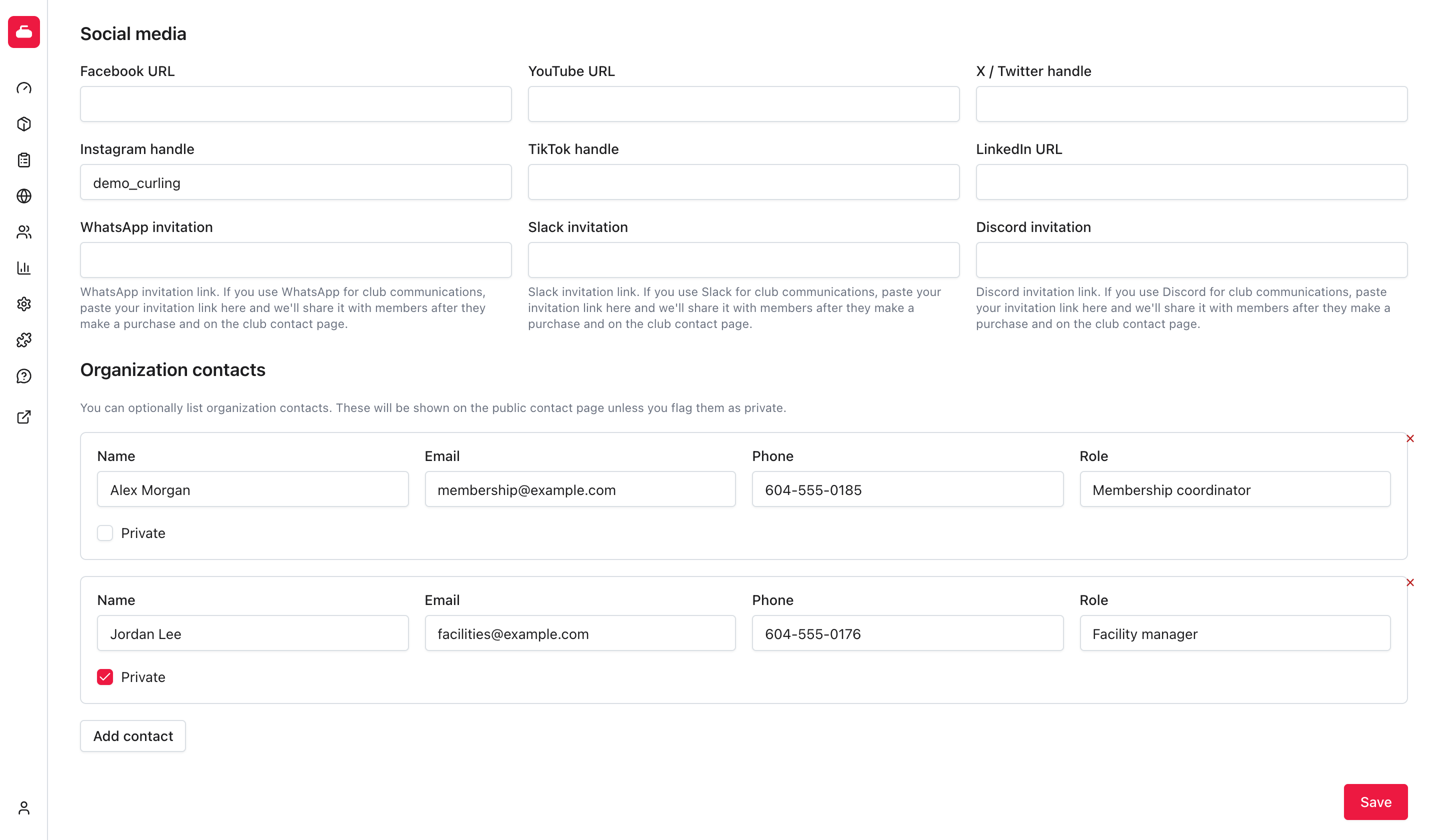
- Select Add contact.
- Enter the person's Name, Email, Phone, and Role as needed.
- Check Private if the person should be kept in administration but not shown on the public contact page.
- Repeat for any additional contacts, then select Save.
New contacts start with Private unchecked. Review that choice before saving someone's personal contact information.
To remove a contact, select the small delete control at the top-right of its card, then select Save. Removing the card alone does not save the change. Entirely blank contact rows are ignored when you save.
A contact entry does not create an account, send an invitation, or grant administration access. Manage that access separately under Settings > Managers.
Check the public page
Open /contact on your organization's public site. Check the address, main
contact links, social links, and Contacts list without being signed in.
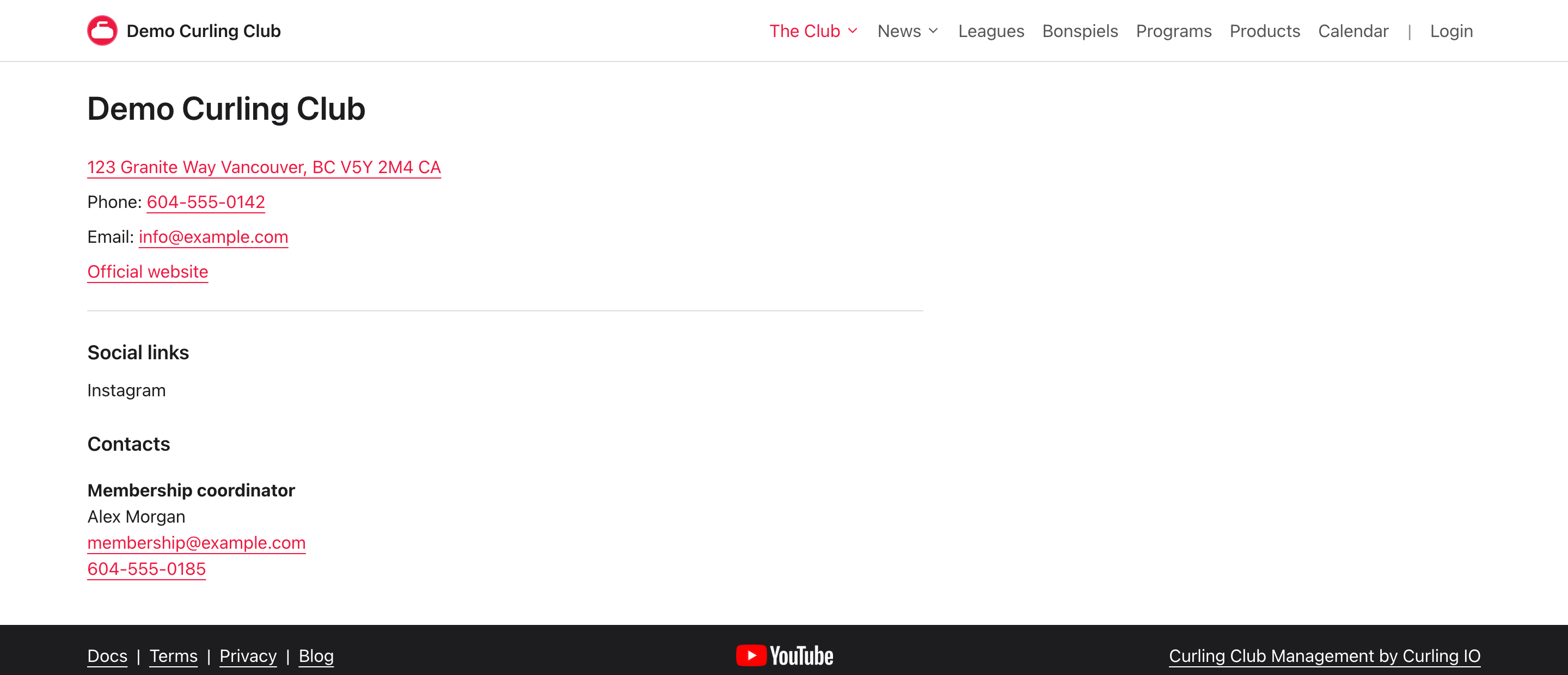
In this example, Alex Morgan is public and Jordan Lee is private. Only Alex appears in Contacts. Private contacts are excluded from the public page, not merely hidden behind a display control.
Troubleshooting
A contact is missing from the public page
Make sure you saved the form and Private is unchecked for that person. Completely blank rows are not saved.
The form will not save
The main Email is required. Email fields must contain email addresses, and URL fields need complete URLs. Check any error shown by the form before trying again.
A social link goes to the wrong place
Check whether the field expects a handle or a full URL. Copy a fresh invitation link if a community invitation has expired, then save and test the public link.