Roadmap
The Roadmap shows what Curling IO is building, planning, and has completed. Use it to check an existing request, vote for something you need, and explain how it would help your organization.
The board is shared across organizations. It isn't a private support request or a schedule of promised delivery dates.
Browse the roadmap
Go to Support > Roadmap.
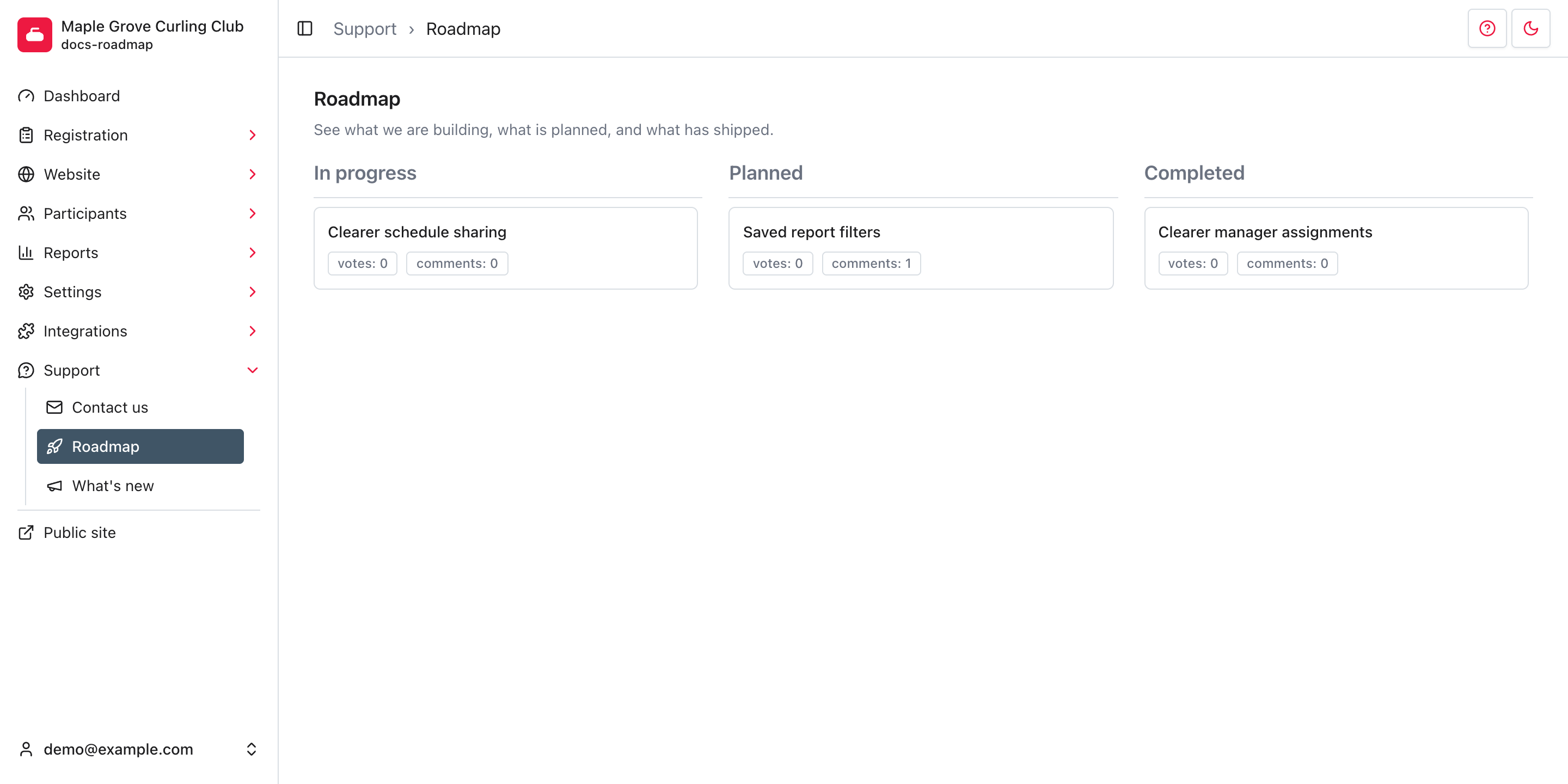
The columns show each request's current status:
- In progress: work is underway.
- Planned: the request is on the roadmap but isn't marked as in progress.
- Completed: the work is marked as finished.
Each card shows its vote and comment counts. Requests with more votes appear first within each column. Select a card to read its description and comments.
The screenshots use example requests. Check the live board for current work.
Vote for a request
- Open the request you want to support.
- Select Vote.
- Check that the button changes to Unvote and the vote count increases.
Your organization gets one vote per request, not one vote per administrator. If someone else has already voted for your organization, you'll see Unvote too. You can support more than one request.
Select Unvote to remove your organization's vote. You don't need to confirm the change. A vote expresses interest; it doesn't guarantee priority or a delivery date.
Add useful context
Comments are shared. Other organizations can read your comment and see your organization's name. Attached images use public links. Don't include personal details, credentials, or sensitive operational information. Use Support > Contact us for private help instead.
- Open a request and read the existing comments.
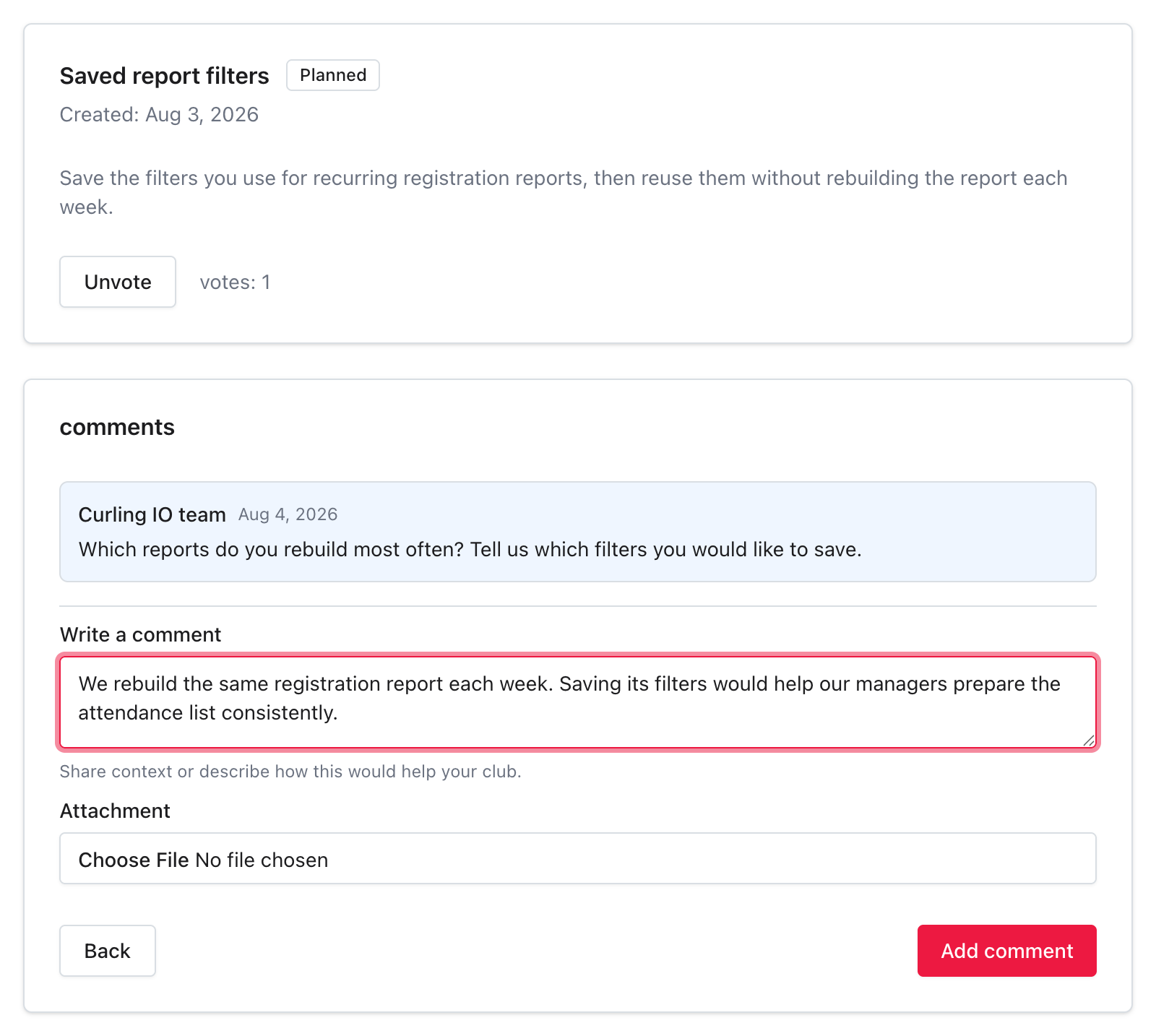
- Enter your explanation in Write a comment. Describe the task you're trying to complete, what gets in the way, and how the request would help.
- If an image would clarify your example, choose it under Attachment. JPEG, PNG, GIF, and WebP images are accepted. Remove sensitive details from the image first.
- Select Add comment.
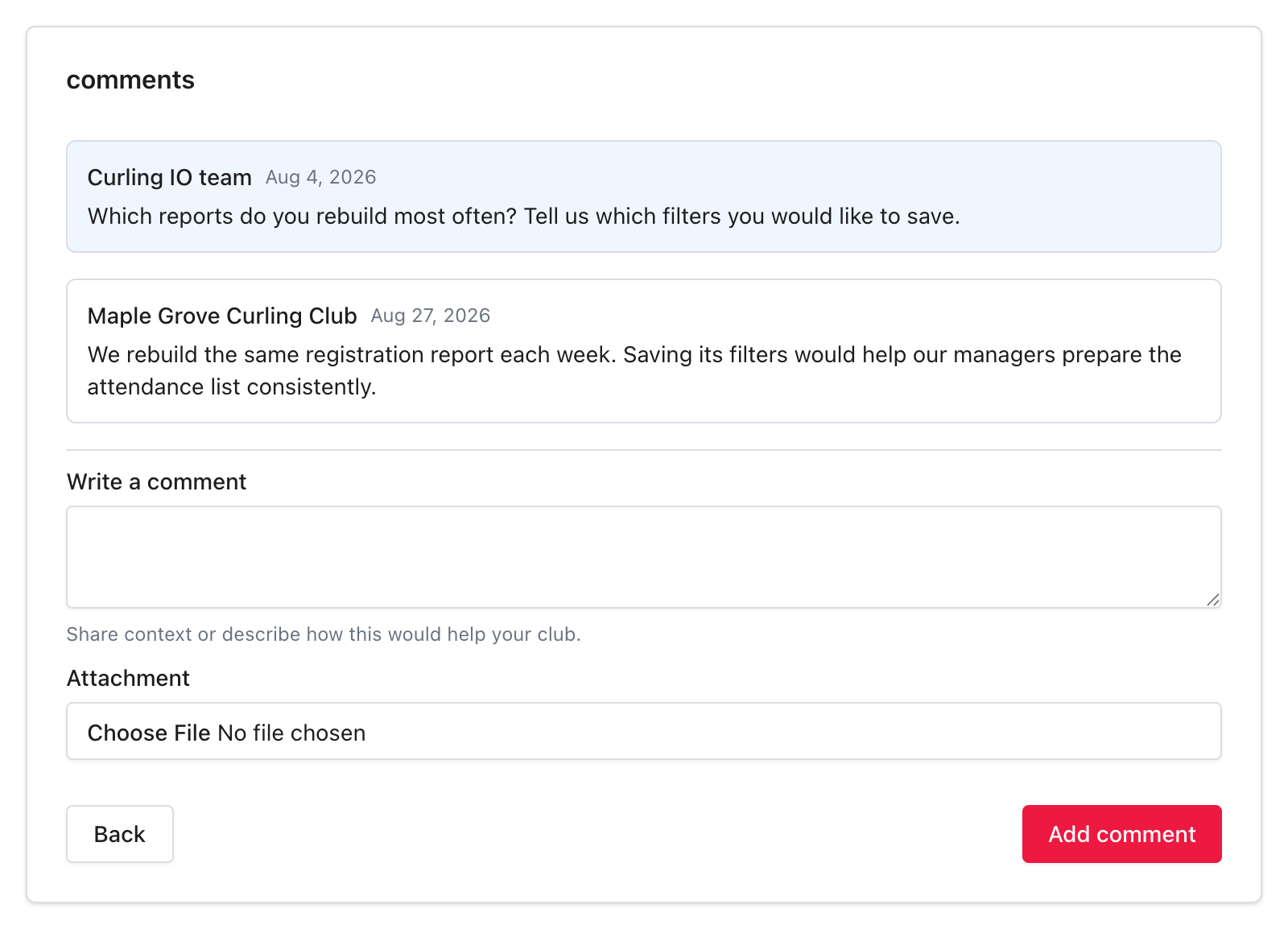
After submission, the page shows Comment added. and your comment appears under your organization's name. Replies from Curling IO are labeled Curling IO team.
Review your wording before submitting. This page doesn't offer comment editing or deletion. An attachment doesn't replace the required comment text.
Comment notifications
Voting or commenting makes your account eligible for email notifications about later comments on that request. You don't receive an email for your own comment. The vote belongs to the organization, but notifications go to the account that cast it, not every administrator.
Unvote removes the vote, not your comments. If you've also commented, removing the vote doesn't stop comment notifications. The Roadmap page doesn't have a separate unsubscribe control.
Need something that isn't listed?
Use Support > Contact us to describe a new request or ask for help with a current problem. The Roadmap lets you discuss existing requests; it doesn't have a New request action.
For shipped changes and announcements, open Support > What's new. To change who has access to administration, use Settings > Managers.
Troubleshooting
I see Unvote before I've voted
Another administrator may have voted for your organization. There's only one organization vote on each request. Selecting Unvote removes that shared vote.
My comment won't submit
Enter some text in Write a comment. A blank comment, spaces alone, or an attachment without text won't save. If saving fails, your draft stays on the page so you can retry.
The board is empty
No roadmap items yet. means there are no requests displayed in the three roadmap statuses. It doesn't mean you need to create a request from this page.