Live Admin With Gleam and Lustre

This post reflects our earlier Gleam exploration for Curling IO v3. We ultimately chose Rust and TypeScript. Why We Chose Rust for Version 3 explains that decision and what we kept from the exploration.
This is a technical architecture post from the development of Curling IO v3. It is written for software engineers and goes deeper into Gleam, Lustre, the BEAM, WebSockets, and server-rendered interfaces than our usual product posts.
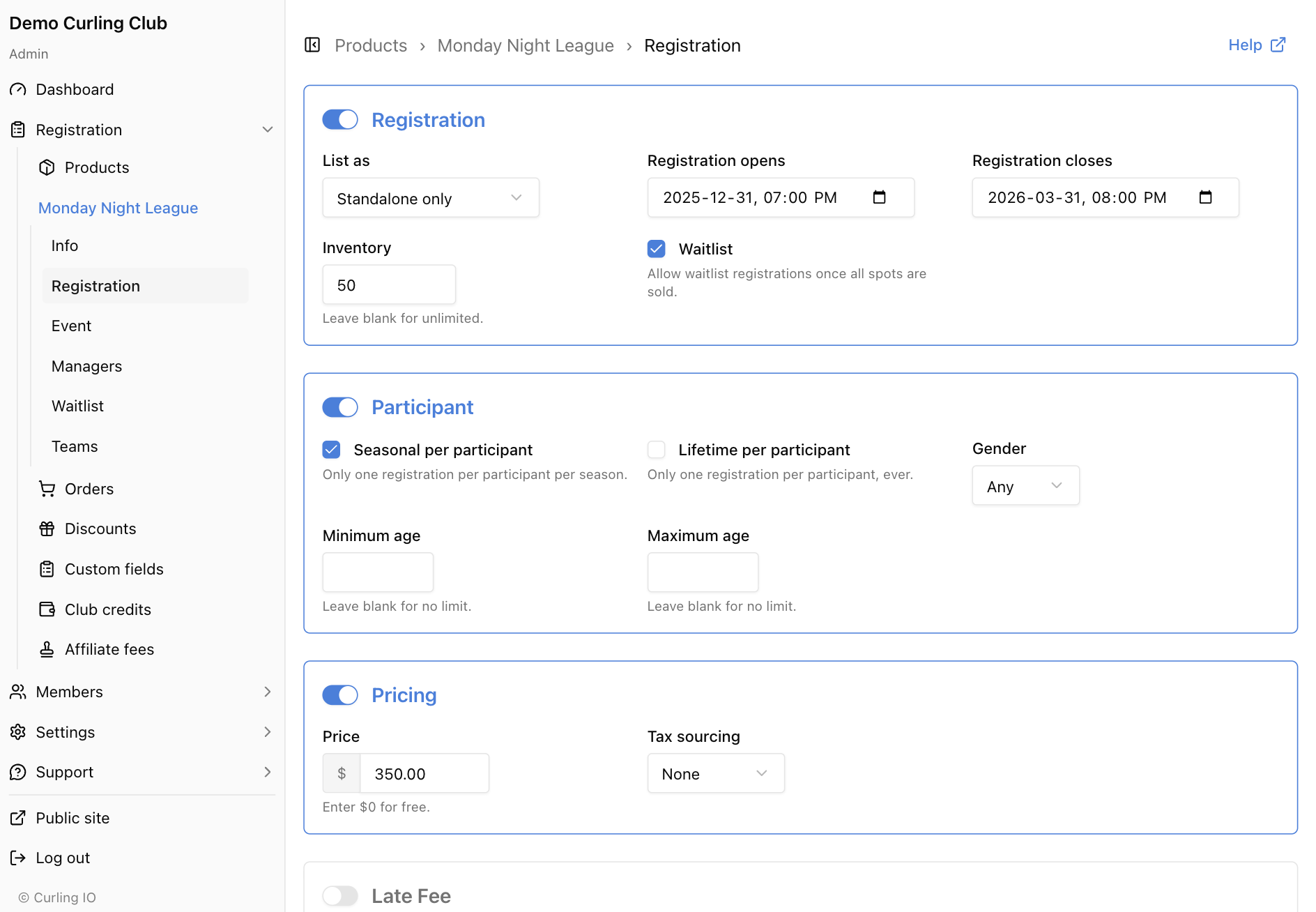
Curling IO's admin panel should feel instant when a club manager is working through a season setup. Toggle a setting, save a discount, move between product sections: the page should respond without a full reload.
Version 2 works, but every form submission reloads the page. Version 3's admin is a single Lustre server component running on the BEAM. One WebSocket connection, one long-lived Erlang process per session. Every interaction goes over that WebSocket and comes back as a DOM patch. The page never reloads, and there's no client-side JavaScript framework.
What's a Server Component?
Phoenix LiveView popularized this idea: render HTML on the server, send patches to the client over a WebSocket, handle events the same way. The browser becomes a thin rendering layer. Lustre, Gleam's UI framework, has the same concept built in as "server components."
A Lustre server component is an Elm-architecture application (Model → Update → View) that runs as a BEAM process. When the model changes, Lustre diffs the old and new virtual DOM and sends a JSON patch over the WebSocket. The client applies it. Events from the browser (clicks, form submissions, input changes) travel back as JSON. The whole loop takes single-digit milliseconds on a local network.
The client side is a custom element called <lustre-server-component>. You point it at a WebSocket route and it handles everything: creating a shadow DOM, adopting your stylesheets, applying patches, and forwarding events. Lustre ships the client runtime as a single JavaScript file you include in the page.
The Architecture
Server component wiring
The admin loads a minimal HTML shell:
<html>
  <head>
    <link rel="stylesheet" href="/static/css/app.css">
  </head>
  <body>
    <lustre-server-component route="/ws/admin?url=/en/admin/products">
    </lustre-server-component>
    <script src="/static/lustre-server-component.mjs"></script>
    <script src="/static/js/admin-live.js" defer></script>
  </body>
</html>
That's the entire HTML the server sends. Everything else renders through the WebSocket.
When the browser opens that page, Lustre's custom element connects to /ws/admin, which upgrades to a WebSocket. On the server side, Mist (the HTTP server) hands the connection to our WebSocket handler, which starts a Lustre runtime:
fn(_connection) {
  let assert Ok(runtime) =
    lustre.start_server_component(admin.app(), flags)

  let self = process.new_subject()
  let selector =
    process.new_selector()
    |> process.select(for: self)

  server_component.register_subject(self)
  |> lustre.send(to: runtime)

  #(SocketState(runtime:, self:), Some(selector))
}
lustre.start_server_component spawns an actor that holds the application state, runs the update function on every message, diffs the view, and emits patches. The register_subject call tells the runtime "send your patches to this WebSocket connection." From here, everything is bidirectional:
- Browser → Server: User clicks a link. Client sends a JSON event. Mist decodes it and forwards it to the Lustre actor.
- Server → Browser: The actor updates the model, diffs the view, and sends a JSON patch back. The client applies it to the shadow DOM.
Each admin session is its own BEAM process. They share nothing: no session store, no pub/sub, no state to coordinate. If one session crashes, the others don't notice. That's the BEAM's process isolation at work.
Navigation Without Page Loads
Server-rendered pages usually reload on every navigation. That kills the experience for an admin panel where you're moving between product sections constantly. We needed client-side navigation semantics (pushState, back button support) without a client-side router.
The solution is about 90 lines of vanilla JavaScript in admin-live.js that bridges the browser's history API with the server component. It handles three flows:
Link clicks. A click listener on the server component intercepts <a> tags, prevents the page load, calls history.pushState, and tells the server about the new URL. Modifier keys (cmd+click), external links, and target="_blank" pass through to the browser normally. The listener uses composedPath() to pierce the shadow DOM boundary and find the actual <a> element.
Back/forward buttons. A popstate listener detects when the user navigates with browser buttons and sends the new URL to the server without pushing to the history stack (since the browser already updated it).
Server-initiated navigation. When a save operation redirects to a different page (like navigating from the edit form to the overview after saving), the server emits a custom event with the new URL. The client intercepts it and calls pushState.
All three flows use the same trick to communicate with the server component: hidden <input> elements inside the shadow DOM. JavaScript sets the input's value to the new URL and dispatches a change event. Lustre's event handler on the server side picks it up. Regular DOM events don't cross the shadow DOM boundary reliably, but events on form elements bubble through the component's internal wiring. We tried custom events first and spent a while debugging before landing on this.
Shadow DOM and Stylesheets
Lustre renders inside a shadow DOM. This gives you proper encapsulation. Styles don't leak in or out. The admin's CSS won't affect the rest of the page, and vice versa. But it means your stylesheets need to get inside the shadow root somehow.
Lustre handles this automatically through adoptedStyleSheets, a browser API that lets shadow roots share stylesheets with the parent document. When the component mounts, it iterates over every stylesheet in the document, and pushes each one into the shadow root's adoptedStyleSheets array. If a stylesheet can't be directly adopted (cross-origin restrictions), it copies the CSS rules into a new stylesheet. If that fails too, it clones the <link> or <style> element into the shadow root. Three strategies, in order of preference.
This worked out of the box for Tailwind and our Basecoat component library. One place it tripped us up: CSS custom properties. We had alert color variants that referenced --success, --warning, and --info CSS variables, but those variables were never defined. The styles adopted fine, but color: var(--success) resolved to nothing because the variable didn't exist. The fix was just adding the variable definitions to :root. CSS custom properties inherit through shadow boundaries (unlike regular CSS rules), so once defined on :root they're available everywhere.
What Runs on the Server, What Runs on the Client
The split is straightforward. The server handles everything that doesn't need sub-frame visual feedback:
- Navigation and routing
- Form input and validation
- Feature toggle switches
- Data loading (synchronous, from SQLite)
- Flash alerts
- Sidebar expand/collapse
The client handles the navigation glue (90 lines of JS) and stylesheet adoption (built into Lustre). That's it. The entire admin UI, including the sidebar, breadcrumbs, form fields, tables, and alert components, is written in Gleam.
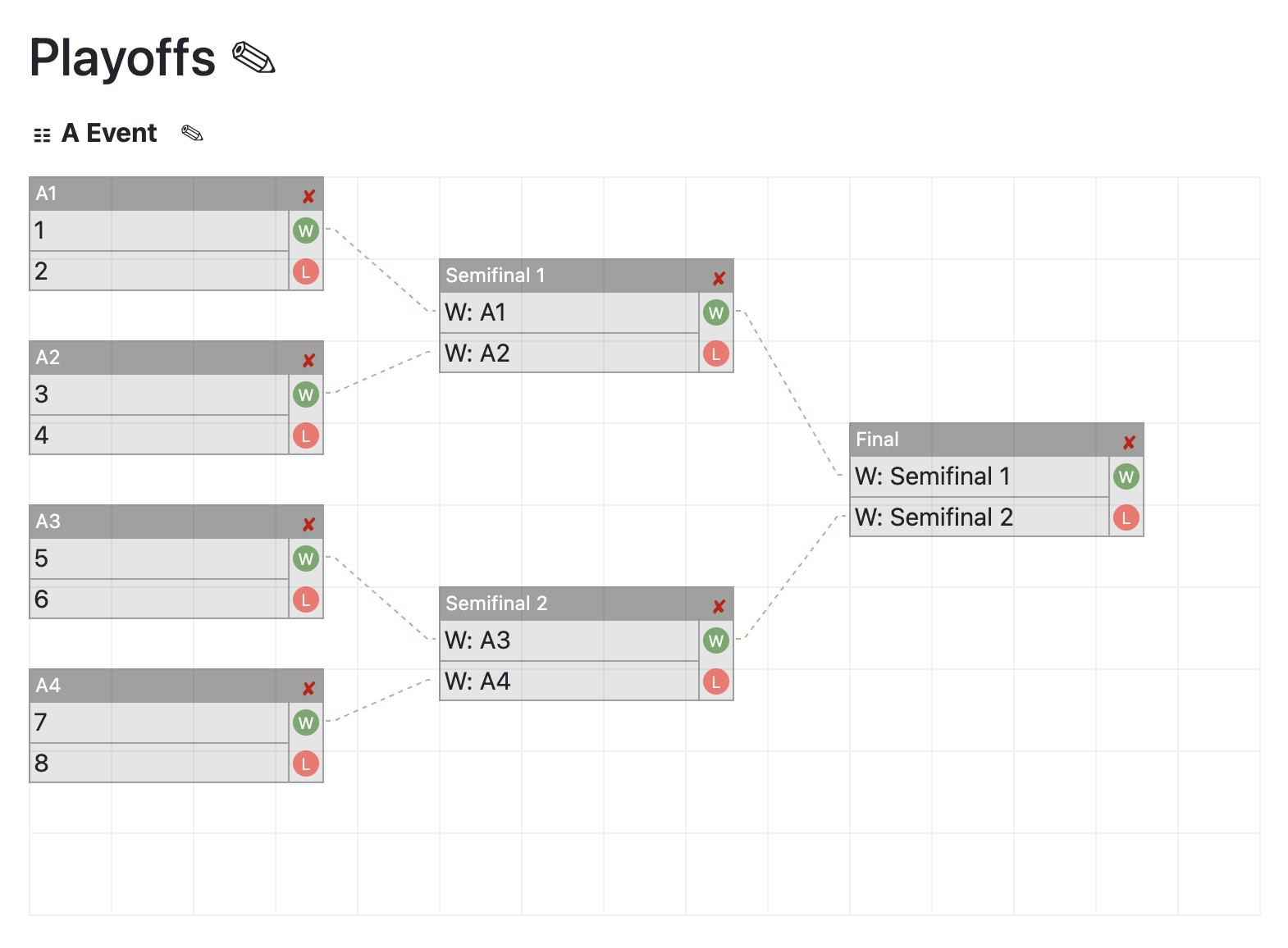
Things we explicitly don't do in the server component: timers, drag-and-drop, animations, resize observers. Those require client-side feedback loops that would overwhelm the WebSocket. When we build the bracket builder and team drag-and-drop, those will be Lustre "islands": small client-side Gleam applications compiled to JavaScript, embedded within specific pages. The server component renders the page; the island handles the interactive widget.
What We Got Wrong Along the Way
Back button infinite loop. Our first navigation implementation used a single NavigateTo message for everything. Server tells client to push URL, client pushes URL. User hits back, browser fires popstate, client sends the old URL to server, server processes it and emits another pushState. Loop. The fix was separating NavigateTo (which pushes to history) from UrlChanged (which doesn't).
Sidebar flicker. When navigating between product pages, we were clearing the product context during the loading state. The sidebar would collapse to its default and then re-expand when the page loaded. We fixed this by persisting the product context on the admin model across navigations within the same product.
Flash messages disappearing. Save operations on discounts and affiliate fees navigate to the list page and show a flash. But we also added "clear flash on navigation." The save set the flash, then called NavigateTo, which cleared it. The fix was to set the flash after the navigation resolved.
What We Got for Free
BEAM's hot code loading applies to server components. When the dev watcher recompiles a module, the running process picks up the new code on the next message. The WebSocket stays connected, the session state is preserved, and the next click or navigation renders the updated view. We didn't build this. We didn't configure it. We noticed it working one day during development and realized the BEAM had been doing it the whole time.
Why Not SSR or a SPA?
Over SSR
The Version 2 admin is server-rendered with full page reloads. It works. But every interaction has visible latency. Toggle a switch, wait for the page to reload to see the result. Navigate between product sections, lose your scroll position.
With the server component, toggling a switch updates the UI immediately (the BEAM process is right there, no network hop to a database and back). Form saves can navigate to a different page with a flash message, and the transition is instant. The sidebar persists across pages because it's part of the same running application.
Over a SPA
From the user's perspective, the server component feels identical to a single-page application. Navigation doesn't reload the page, state persists, and updates are instant. The difference is where the work happens.
A SPA downloads a JavaScript bundle before the user sees anything. A modest React admin with a component library, router, and state management easily runs 200-500KB of JavaScript. Our admin sends ~15KB of initial HTML over the WebSocket and zero application JavaScript (the Lustre client runtime is a generic 10KB script, not application code).
A SPA also needs a REST or GraphQL API to talk to the server. That means designing endpoints, serializing data to JSON, deserializing it on the client, handling loading states, caching, and keeping client and server types in sync. With the server component, the update function has direct access to the full domain and business logic. There's no API ceremony in between. When a user saves a form, the update function writes to the database and returns the new model. The view diffs automatically. The whole admin is one Gleam codebase with state in one place.
Developer experience
Every admin page is a Gleam module with Model, Msg, init, update, and view. The types enforce that pages handle all their messages. Adding a new page means adding a route variant (the compiler tells you everywhere that needs to handle it), a page module, and wiring it into the admin's update function. You don't need a template language or context objects passed through middleware. It's functions all the way down.
The Numbers
For context on what we're working with:
- The admin shell HTML is 6 lines of content (meta tags, one stylesheet, the custom element, two scripts)
admin-live.jsis 89 lines of vanilla JavaScript- The initial mount sends the full virtual DOM (~15-30KB depending on the page)
- Subsequent patches are typically under 1KB (just the diff)
- Each admin session is a single BEAM process consuming a few hundred KB of memory
- SQLite queries run in-process, so data loading for page transitions is synchronous and measured in microseconds
There's also a payload advantage over traditional SSR. Every HTTP request carries headers: cookies, content-type, CSRF tokens, accept headers, cache directives. That's typically 1-2KB of overhead on every round trip, in both directions. A WebSocket frame is just the payload, a few bytes of framing around the actual data. An admin session might make hundreds of interactions (toggling switches, navigating between sections, saving forms). Over HTTP, each one pays the header tax. Over the WebSocket, the connection is already established and authenticated. A toggle switch that changes one boolean sends maybe 80 bytes of JSON and gets back a 200-byte patch. The equivalent HTTP POST would be 2-3KB counting headers, redirect, and full page re-render.
What's Next
The server component covers the 95% of admin pages that are forms, tables, and configuration. The remaining 5% (our bracket builder, drag-and-drop team management, live scoreboards) will be client-side Lustre islands that communicate back to the server through the same WebSocket or separate API calls.
This is Part 8 of the Curling IO Foundation series. Next up: Improving Recovery with NixOS.